GE MEDICAL SYSTEMS
DIRECTION 5184024-100, REVISION 5 LOGIQWORKS BASIC SERVICE MANUAL
3-88 Section 3-5 - Configuration
3-5-2-7 Monitors of System Dell Precision 340
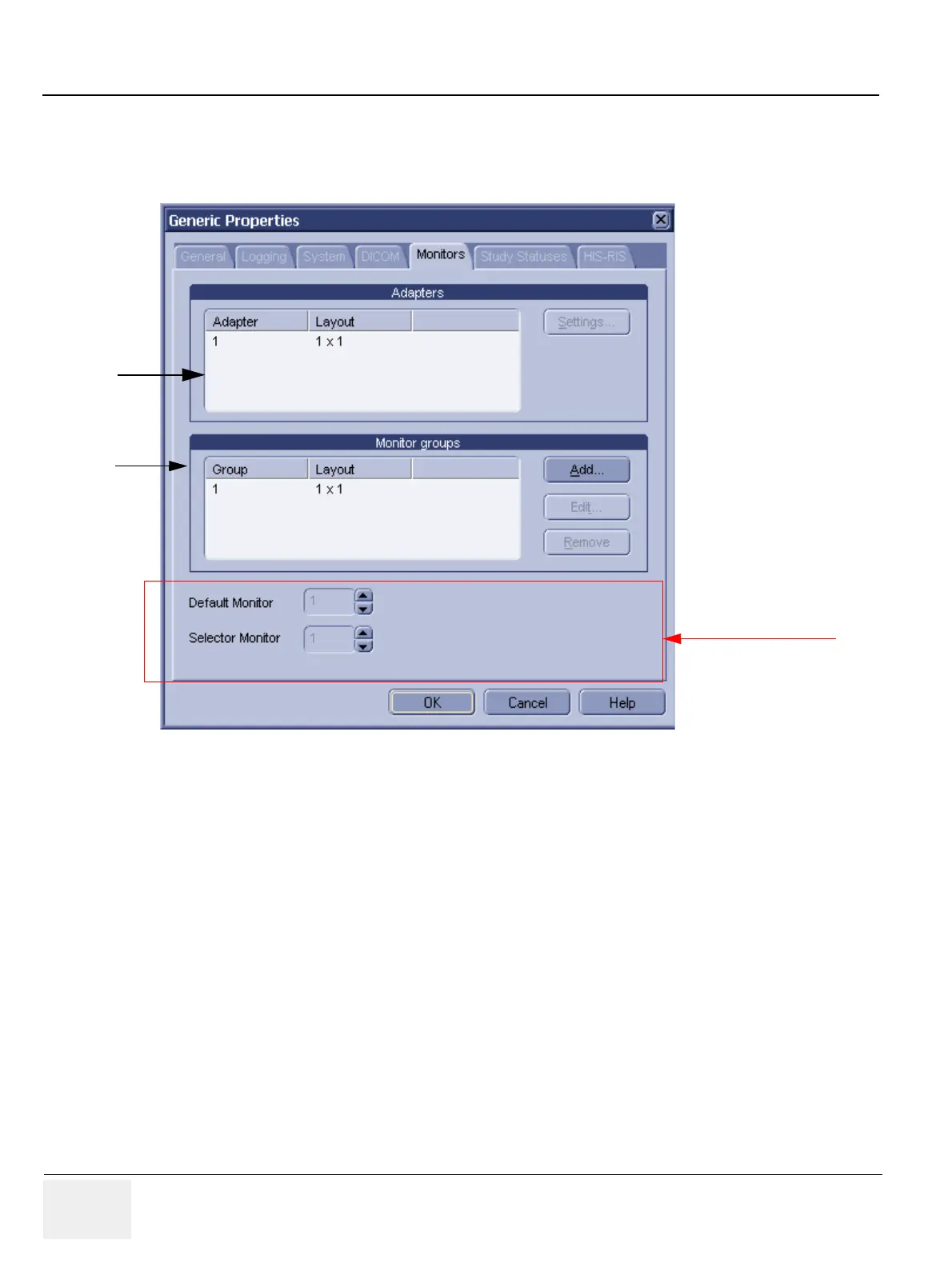
To set up LOGIQworks for use with single monitor log on as system administrator:
1.) Select Configuration > Generic... from the Data Selector menu and click the monitor tab.
2.) Select the Adapter and click Settings. Specify that 1 row and 1 column of monitors (1x1) are
connected to that adapter.
3.) Select the Monitor Group and click Edit..... Specify that 1 row and 1 column of monitors (1x1) is
defining this group.
4.) The “Default Monitor” is set to 1. All other settings are not accepted.
5.) The “Select Monitor” is set to 1. All other settings are not accepted.
6.) Restart LOGIQworks.
Figure 3-76 Single Monitor Setup
Administrator only
2.
3.



 To Next Page