GE MEDICAL SYSTEMS
DIRECTION 5184024-100, REVISION 5 LOGIQWORKS BASIC SERVICE MANUAL
3-50 Section 3-4 - Completing the Installation
3-4-3-13 Monitor Connections of System based on Dell Precision 340
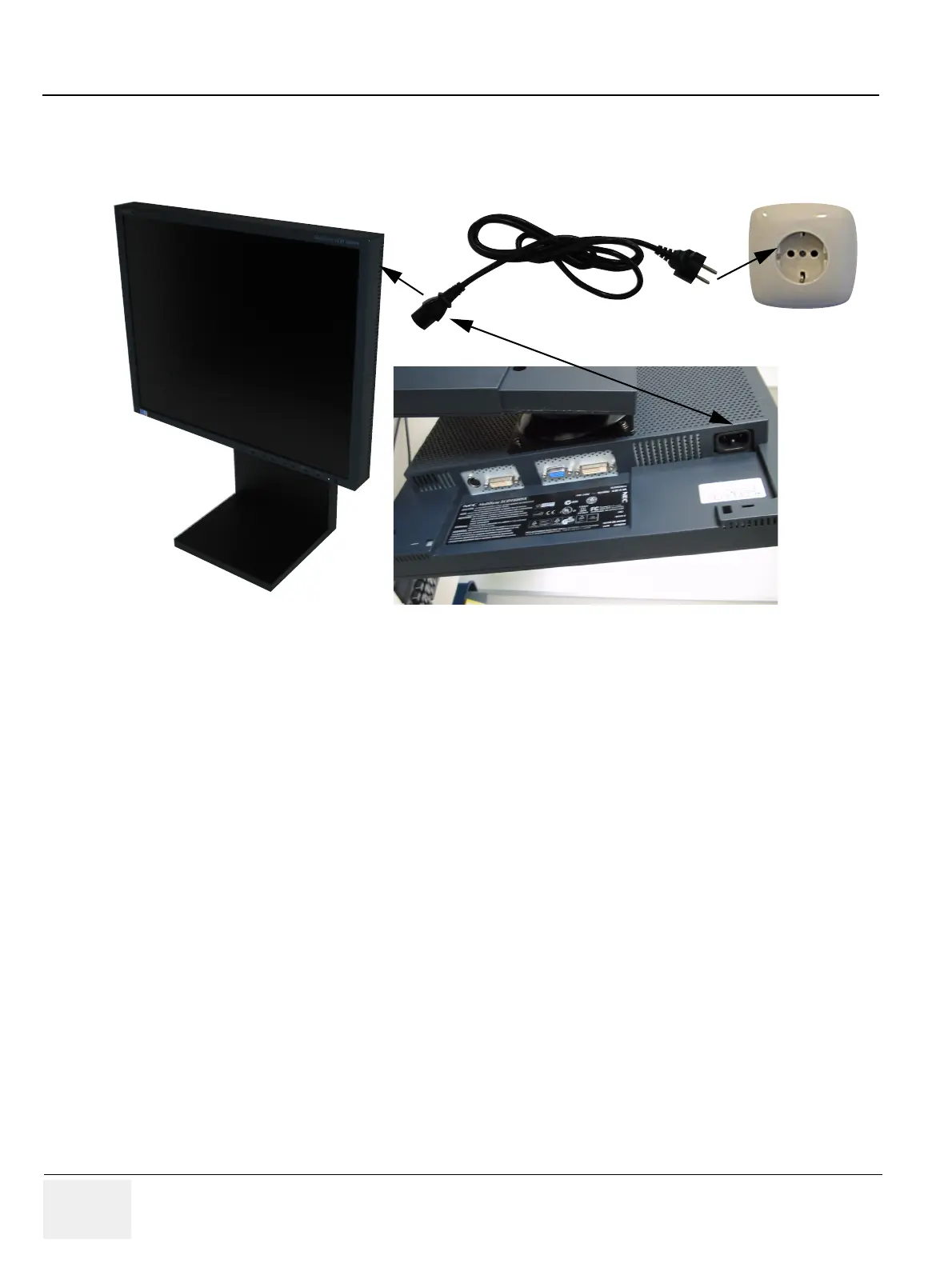
1.) Connect the Monitor Power Cable to the rear of the Monitor.
2.) Connect the other end to a Wall Power Outlet.
3.) Connect the Y-Monitor Signal Cable to the display Card Socket at the rear of the PC.
4.) Connect the Monitor Signal Cable to the Y-Monitor Cable tagged with 1.
5.) Connect the other end to the digital Monitor Signal input1 as shown in the picture.
6.) In case of dual Monitor installation connect the second Monitor to the Y-cable tagged with 2
Figure 3-36 LCD Monitor Power Connection
Rear of LCD Monitor



 To Next Page