GE MEDICAL SYSTEMS
DIRECTION 5184024-100, REVISION 5 LOGIQWORKS BASIC SERVICE MANUAL
3-64 Section 3-4 - Completing the Installation
3-4-6-1 Modem Configuration (cont’d)
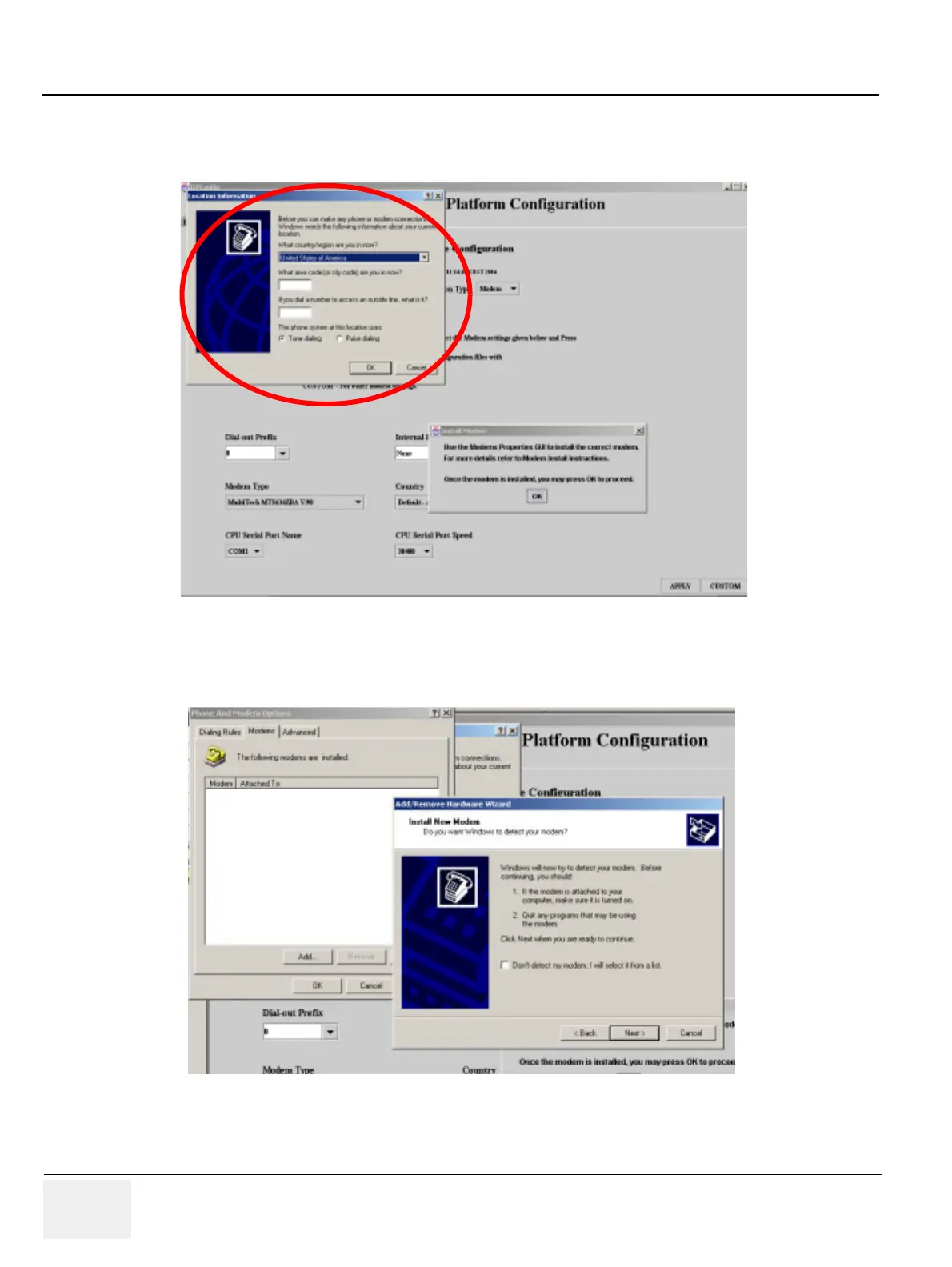
11.)The “Phone and Modem Options” window pops up. Click on “Remove” and then “Add”.
12.)Follow the instructions of the “Add/Remove Hardware Wizard”.
13.)Click ”Next” to start the installation process. Wait until the “Finish” button pops up and click it. The
modem is installed.
Figure 3-48 The “Location Information” window
Figure 3-49 The Add/Remove Hardware Wizard



 To Next Page