GE MEDICAL SYSTEMS
DIRECTION 5184024-100, REVISION 5 LOGIQWORKS BASIC SERVICE MANUAL
3-78 Section 3-5 - Configuration
3-5-1-5 Keyboard setup (cont’d)
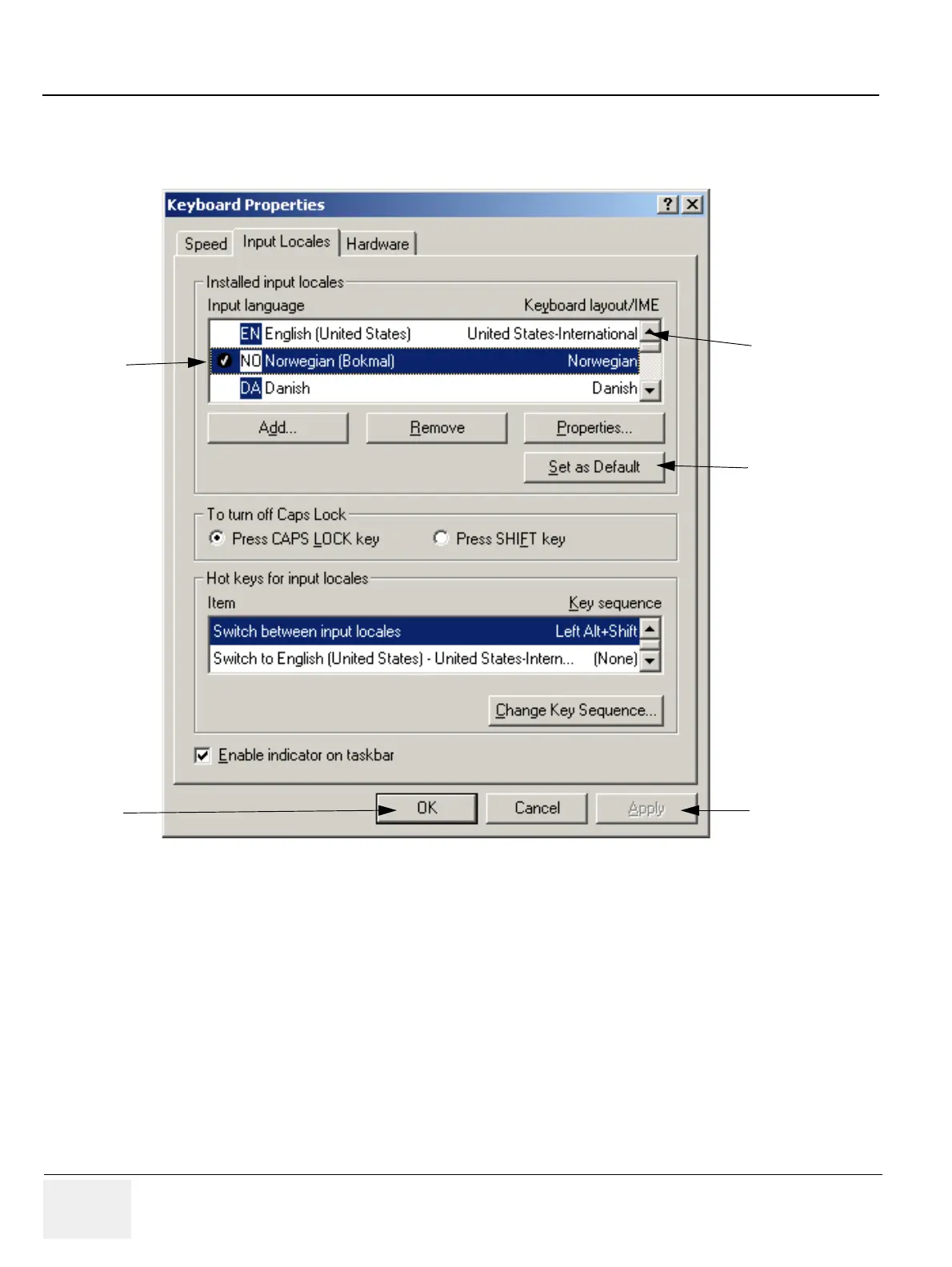
2.) Click on Input Locals, the following window will appear:
3.) Use the scroll bar to find the correct language keyboard layout for your keyboard.
4.) Click on the Set as Default button.
5.) Click on Apply button.
6.) Click on OK.
7.) Reboot LOGIQworks to get the full effect of the Keyboard Layout change.
Figure 3-67 Keyboard Properties Window
3
4
4
5
6



 To Next Page