GE MEDICAL SYSTEMS
D
IRECTION 5184024-100, REVISION 5 LOGIQWORKS® BASIC SERVICE MANUAL
Chapter 3 Installation 3-175
3-5-8-2 Logging (cont’d)
• Always Flush File after Write: If checked, all logging actions will be written immediately to the log
file. This option will have a serious impact on the performance of RadWorks, so it should not
normally be checked. (Default: not checked)
• Log Pipe: Name of the pipe where logging information is written.
(Default: \\.\pipe\AMI2\Print\Logging)
3-5-8-3 Database
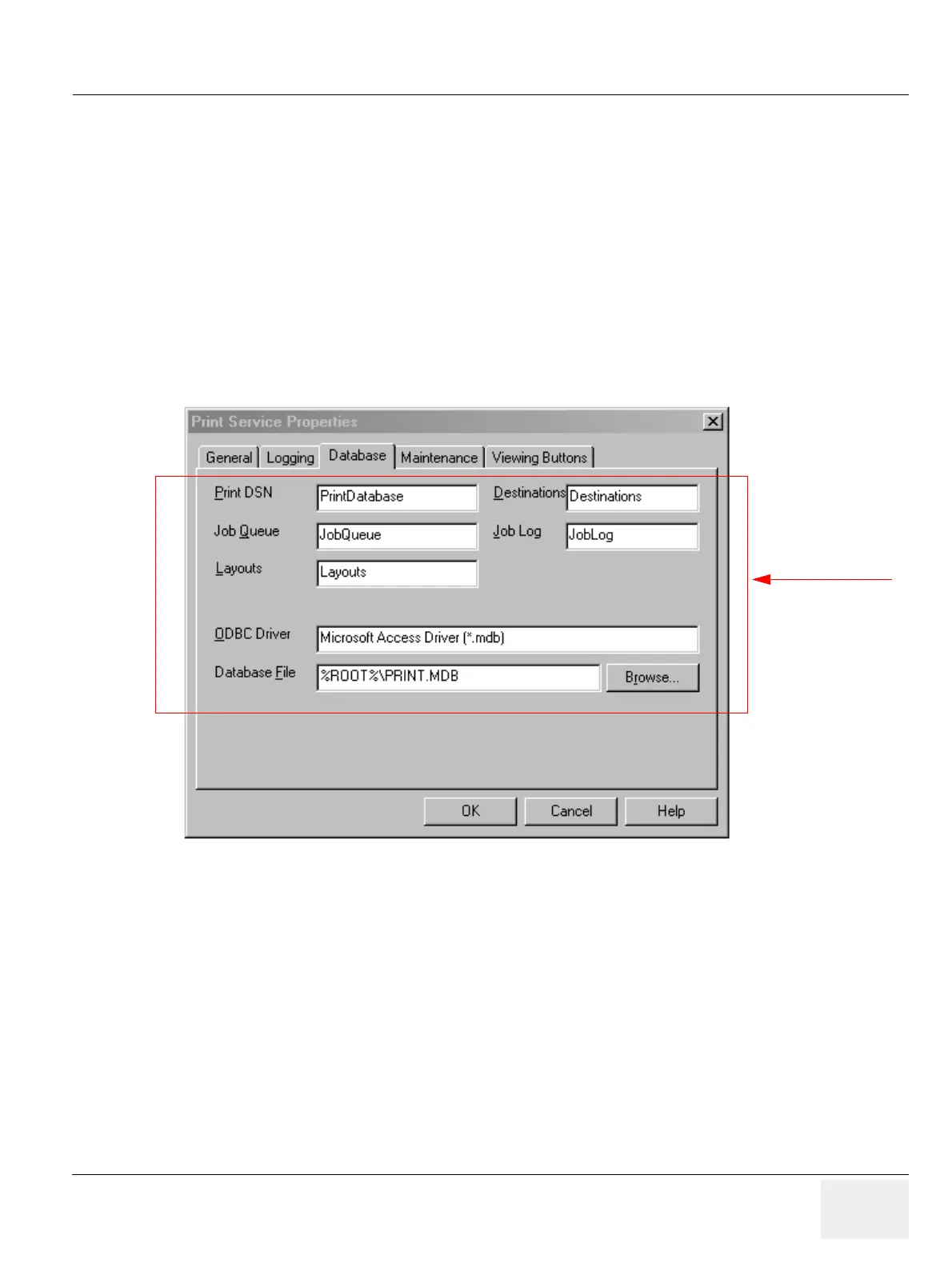
To set database properties for the LOGIQworks Print Service:
1.) Select Configuration > Print Service... from the Data Selector menu.
2.) Select the Database tab from the Print Service Properties page.
• Print DSN: The name of the (ODBC) Data Source Name for the Print Service.
• Destinations: The name of the database table that lists the print destinations.
• Job Queue: The name of the Queue database table which lists the print jobs to be executed (or in
error state).
• Job Log: The name of the Job Log database table which lists the successfully completed print jobs.
• Layouts: The name of the database table storing the layouts created.
• ODBC Driver: Specify the ODBC driver to be used.
• Database File: Enter the database file that the Print Service should use. Click the Browse... button
to locate a file.
Figure 3-148 Print Service Properties - Database (Default settings)
Administrator only



 To Next Page