GE MEDICAL SYSTEMS
DIRECTION 5184024-100, REVISION 5 LOGIQWORKS® BASIC SERVICE MANUAL
4-14 Section 4-3 - System Check
4-3-3-4 Configuring Destinations (cont’d)
6.) Enter the DICOM Port Number for the remote system.
4-3-3-5 Configuring Origins
To increase system security, you can restrict communication with your LOGIQworks™ PC to a pre-
configured set of permitted origins.
To turn verification on:
1.) In the Data Selector, select Configuration -> Connection Service from the menu and click on the
Receive tab.
2.) To increase system security enable Verify Origin.
4-3-3-6 Setting up an origin:
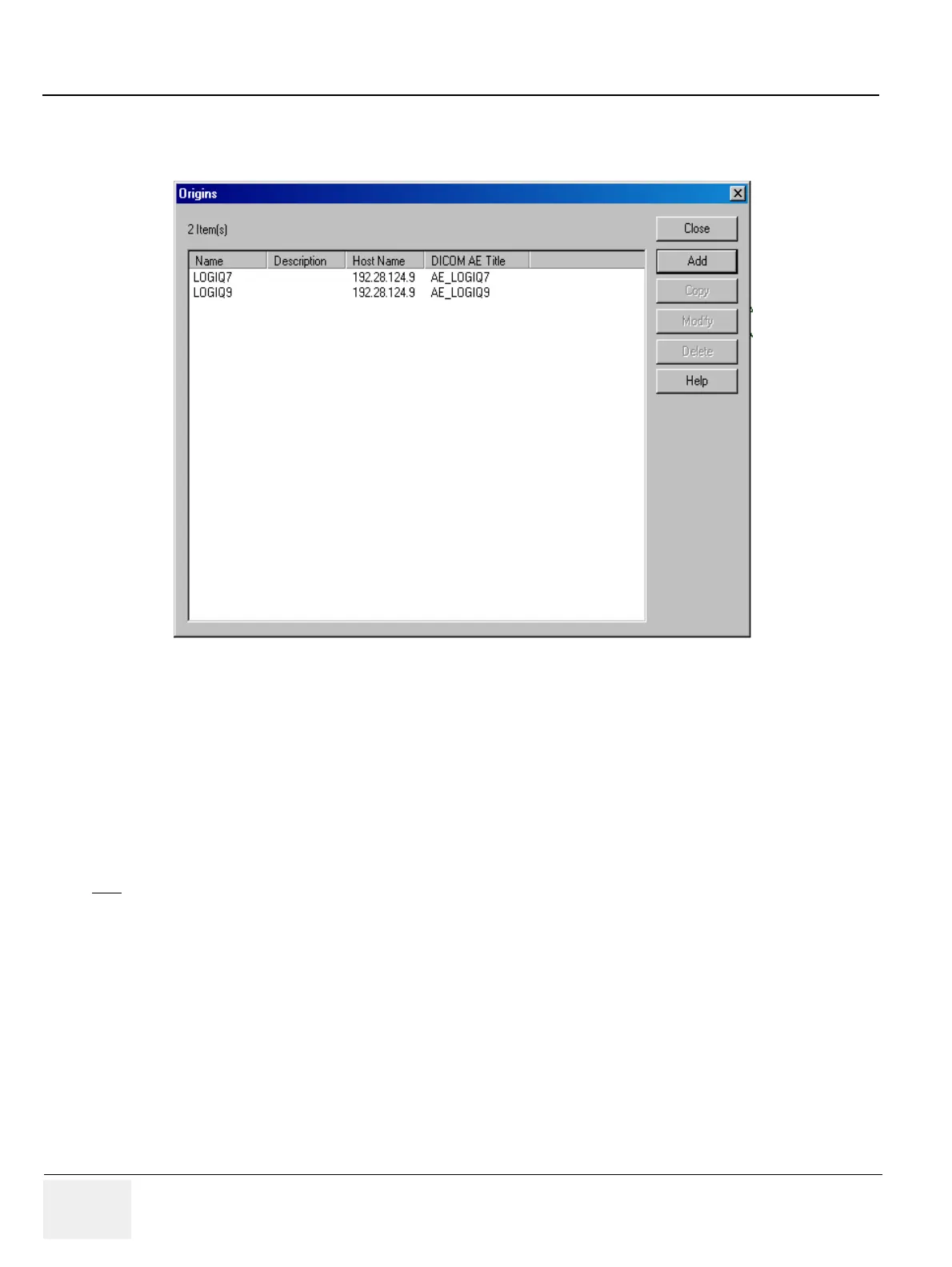
1.) From the Data Selector menu, select Connection -> Origins....
2.) Press the Add Button, the Origin Properties page is displayed.
3.) Enter the appropriate information in the dialog box.
4-3-3-7 Receiving Series and Studies
Receiving studies takes place automatically in the background. When LOGIQworks™ has received a
study, it will automatically place it in the appropriate place in your study list.
To see what images you received:
Figure 4-14 Origins
NOTE
On these configuration pages only alter the default settings if this is strictly necessary.



 To Next Page