SC201(1900A/1903A) Operation Instruction
25
1. Register of the Pattern Key
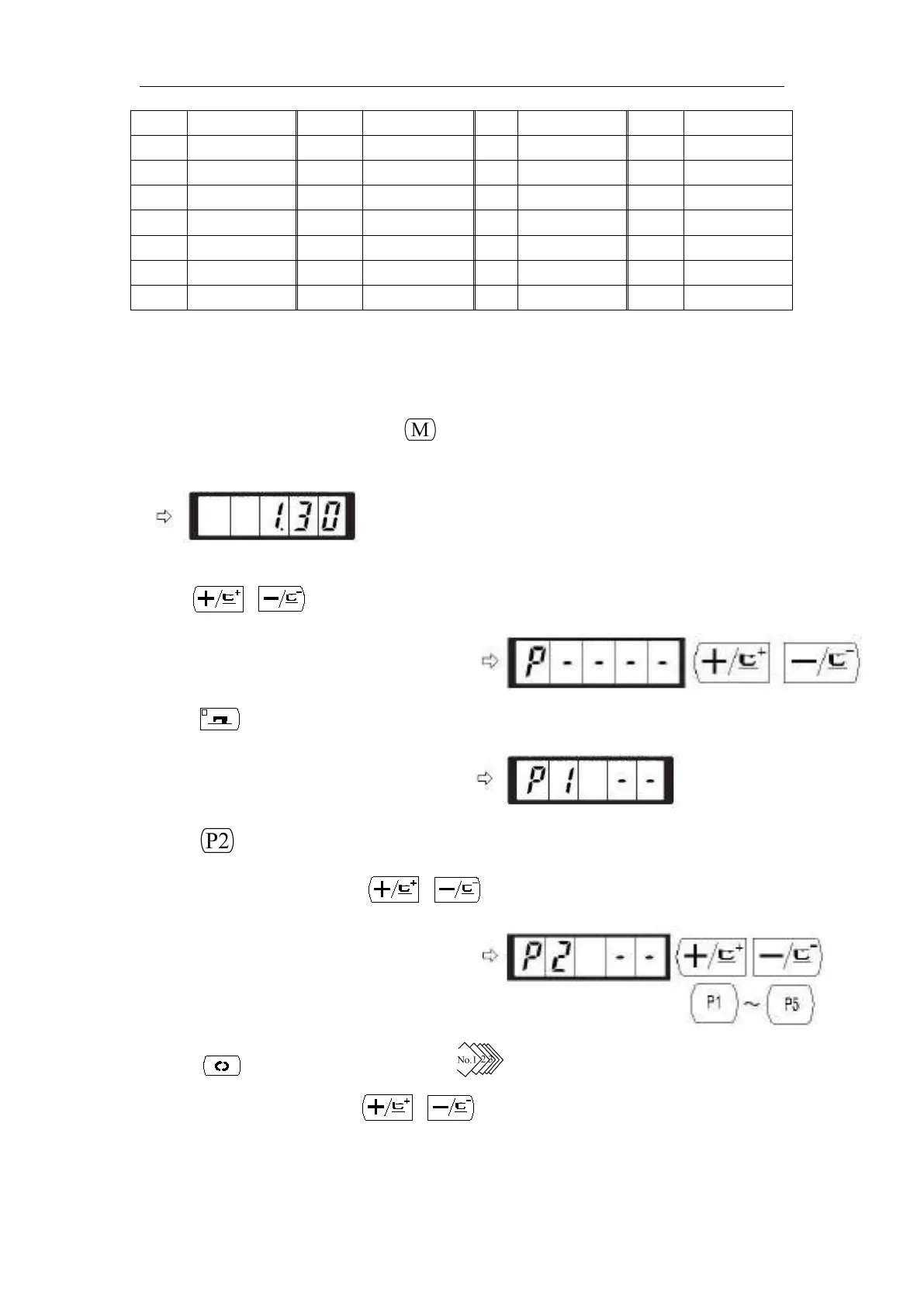
Setting example: Register following setting to the P2, Pattern No.3, X scale rate: 50%, Y scale rate:
80%, Max. speed limitation: 2000 rpm, Pattern position: 0.5 mm to the right and 1 mm to the
front.
1) Turn ON the power switch and press key to enter mode setting (memory switch setting).
(Sewing LED should be put out.)
2) Indicate the pattern register mode
with or key.
3) Press key.
Enter the pattern register mode.
4) Press key. (Select P-No. to be registered.)
Selection can be performed with or key.
5) Press key to indicate the Pattern No. .
Set the Pattern No. to “3” with or key.



 To Next Page