FC8000-UM-251-9370 2-5
2. PARTS NAMES and FUNCTIONS
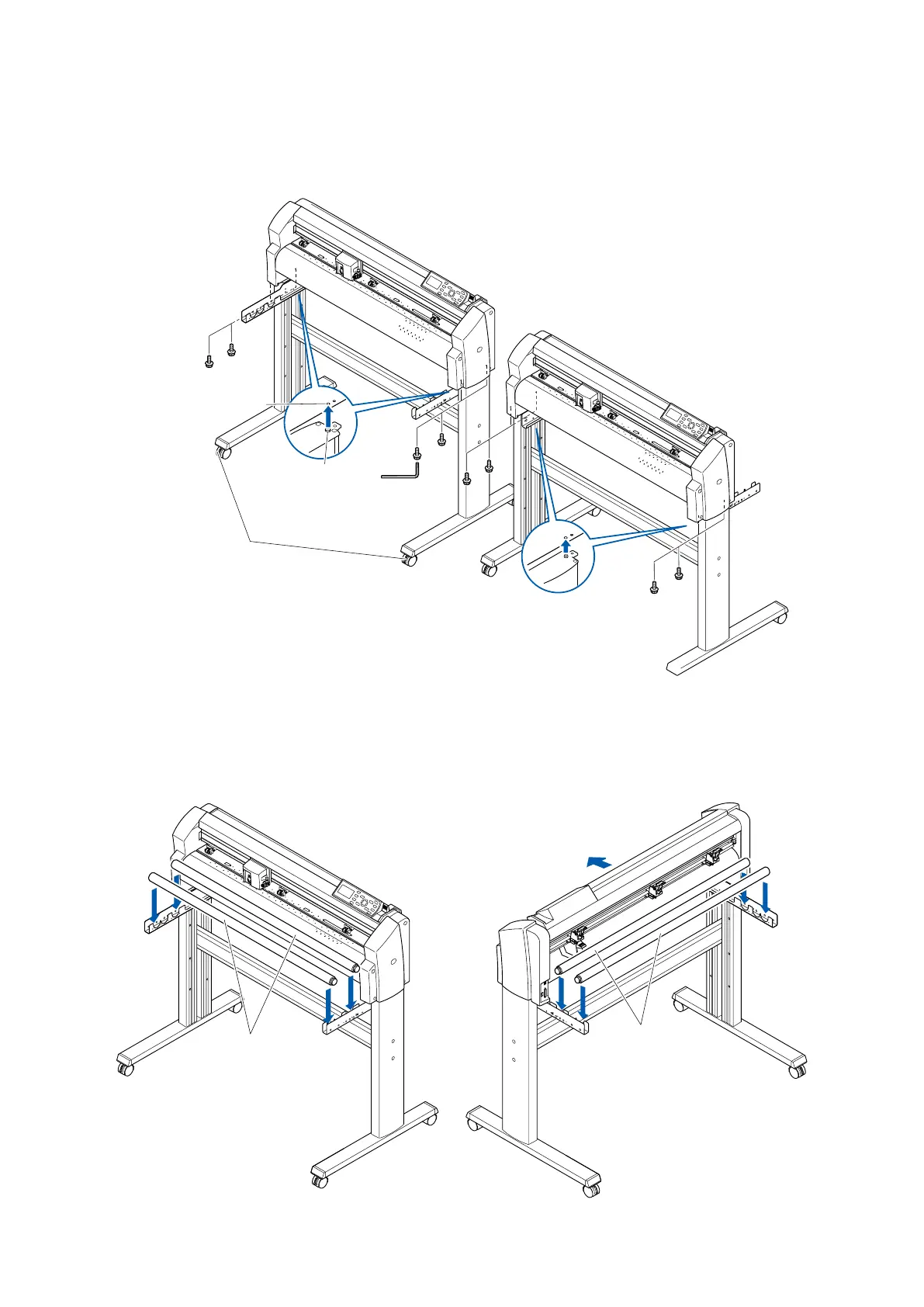
(4) Mounttheplotteronthestandbyinsertingthepositioningpinsonthestandintothepositioningholes
ontheundersideoftheplotter.Fastenwithfoursocketheadcapscrews(twooneachside),usingthe
Allenwrench.Thecuttingplottermountingdirectionisdifferentforthefrontloadingandtherearloading
models.
Socket head
cap screw
Positioning pin hole
Caster stoppers
Socket head
cap screw
Positioning pin
<Front loading>
<Rear loading>
(5) TightenthesocketheadcapscrewslooselyfastenedinStep2.
Mounting the stock rollers
Insertthestockrollersintotheslotsonthemediastockerbrackets.
<Front loading>
Stock rollers
<Rear loading>
Stock rollers
Front









 To Next Page