4 - 76
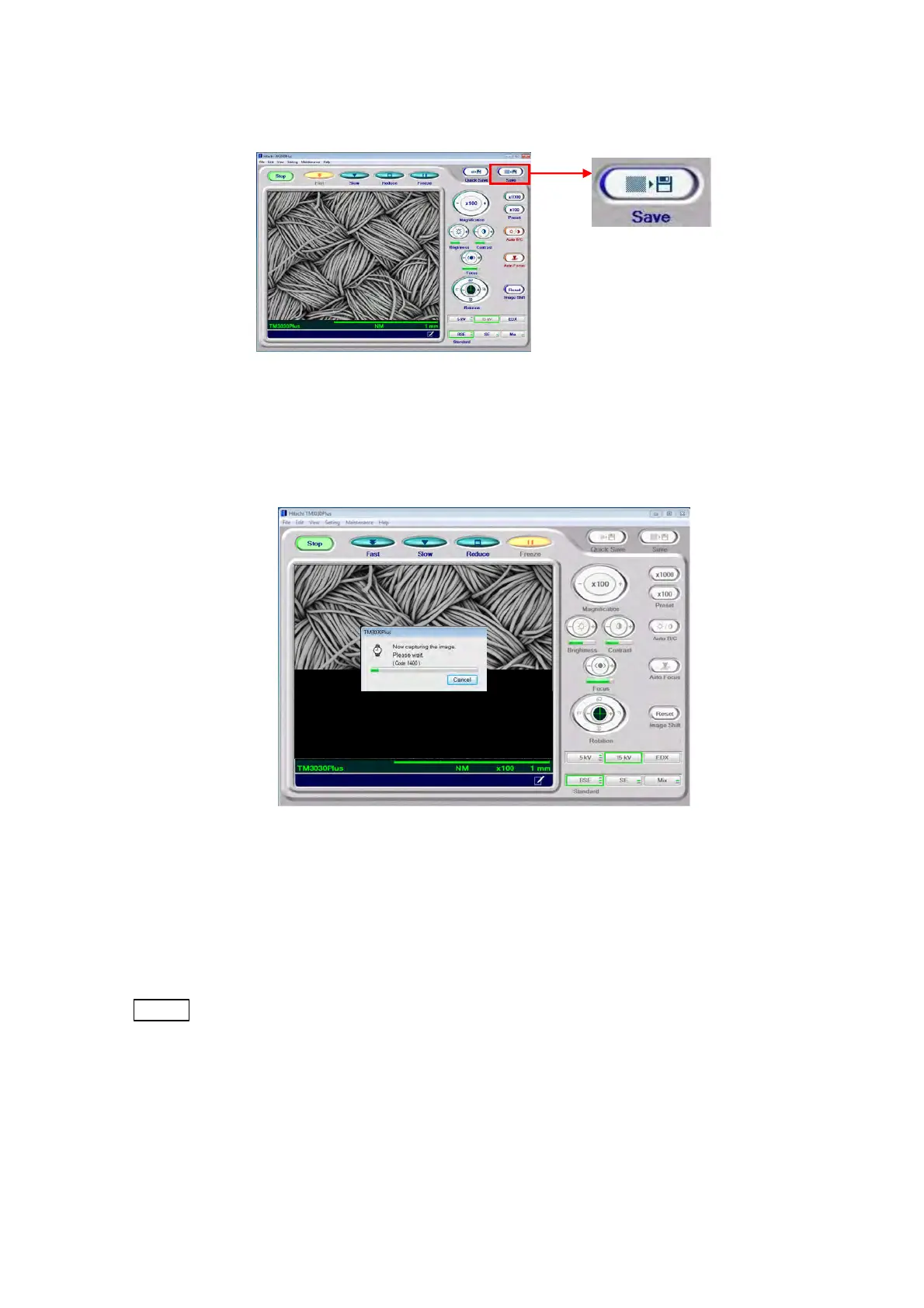
1. Either click the [Save] button or select [Save] from [Image Save] of the [File] menu.
Figure 4.3.15-2 Image Data Save Button
2. The displayed image darkens, and the View mode changes to [Freeze]. Then, the image
starts to be captured.
Figure 4.3.15-3 Image Data Capture Screen
It takes about 30 to 40 seconds to capture an image. At the same time, the dialog appears,
indicating the progress of the image capture process. It will disappear when image capture
is finished. To cancel the image capture, click the [Cancel] button.
NOTE
: To avoid noise in the saved image, be careful not to vibrate the system main unit
during the image capture process.



 To Next Page