5 - 14
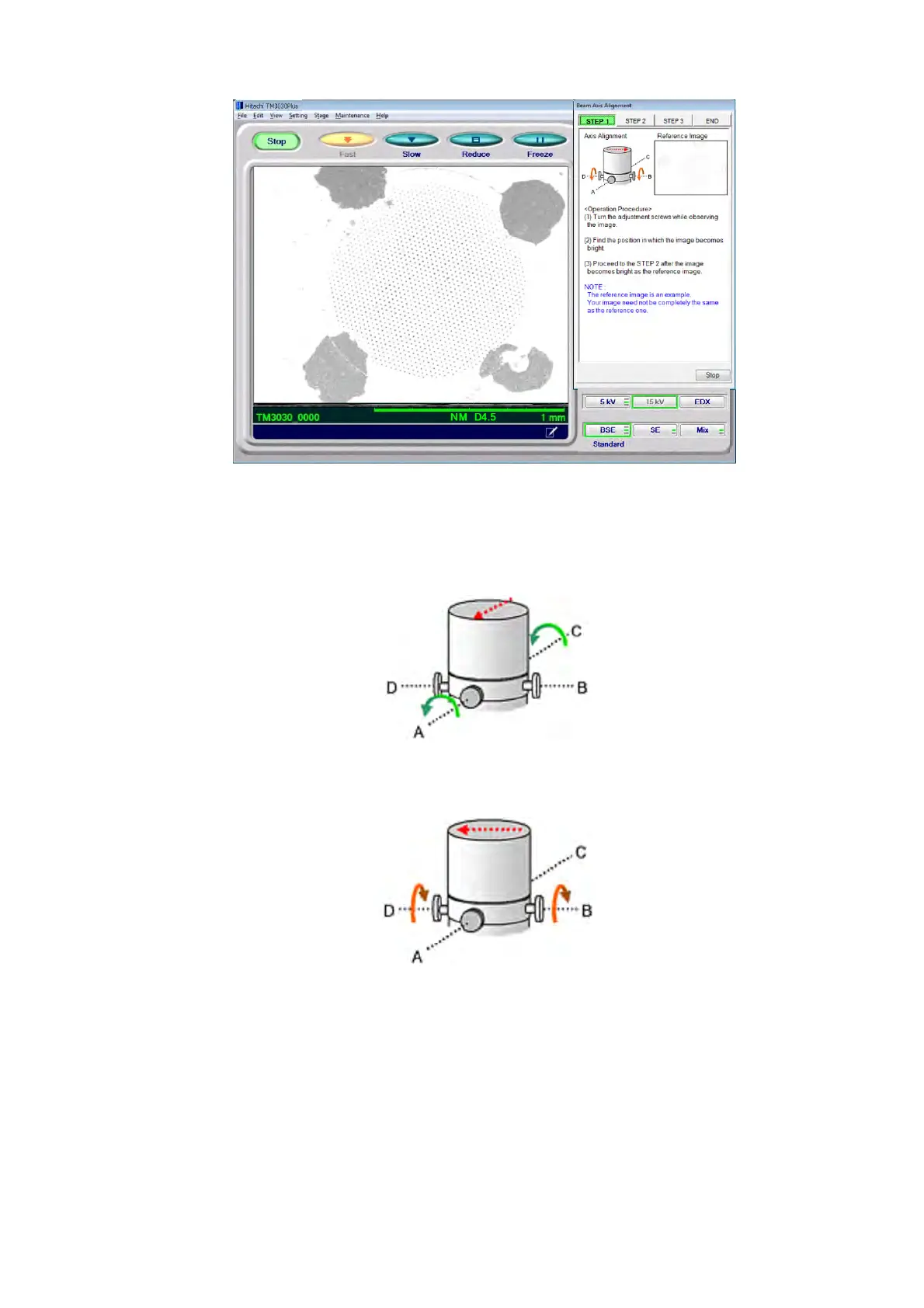
Figure 5.2-7 Beam Axis Alignment STEP 1
4a. First, loosen the four axis alignment knobs, A, B, C and D, by approximately one turn.
Figure 5.2-8 Operating the Electron Gun Axis Alignment Knobs (1)
Figure 5.2-9 Operating the Electron Gun Axis Alignment Knobs (2)
4b. In the next step, turn one of the knobs (for example, Screw A in Figure 5.2-8) in a
fastening direction. When it becomes tight, loosen the knob in the opposite direction
(in Figure 5.2-8, Screw C), and then turn Screw A further in the tightening direction.
During this operation, turn the knob while paying attention to the image. When an
image appears, adjust the knobs in the direction to brighten the image.



 To Next Page