7 - 36
4. Start of 3D-Image Capture
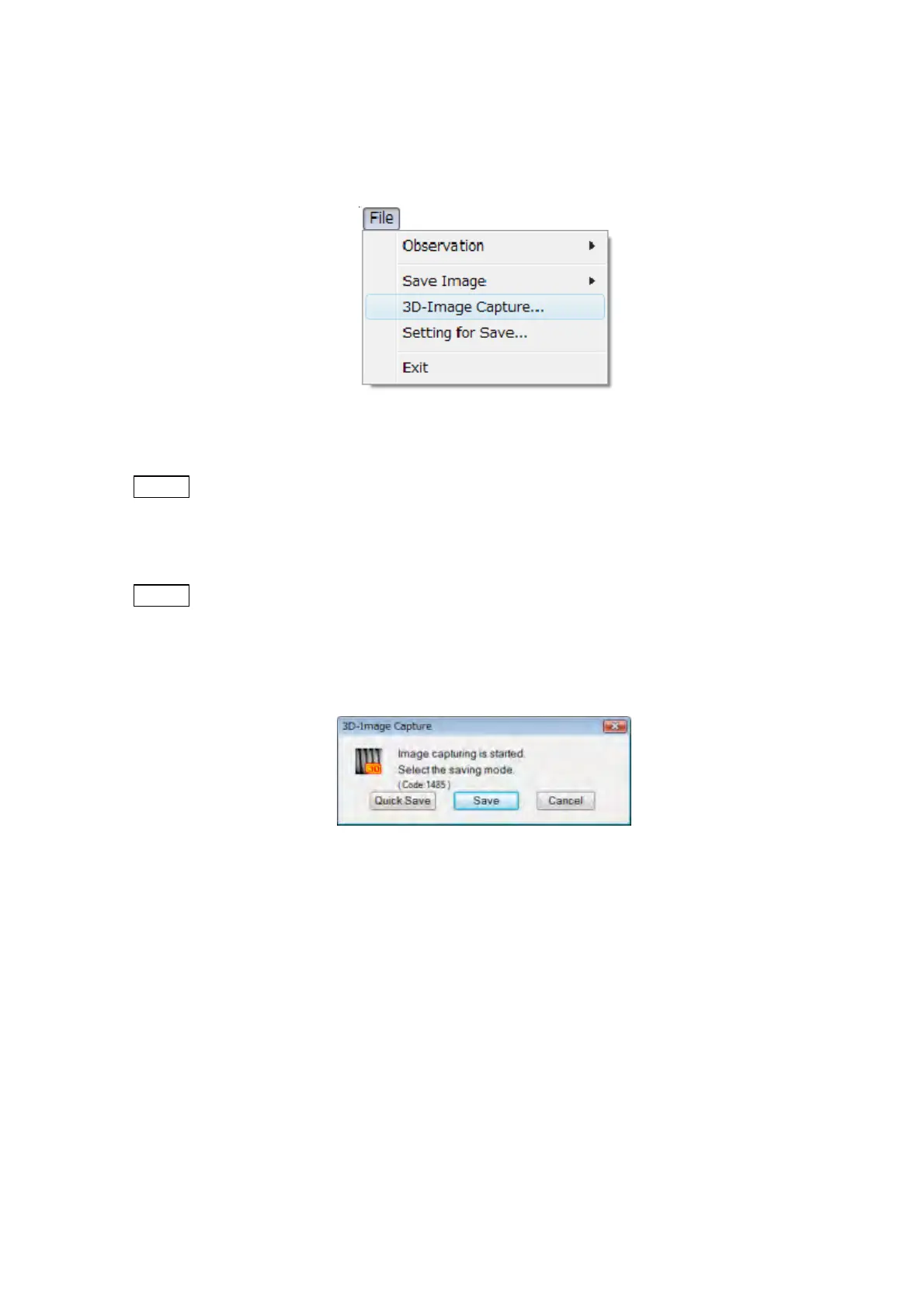
With the PC control application program started, select 3D-Image Capture from the File
menu and open the 3D-Image Capture dialog.
Figure 7.14.1-3 3D-Image Capture of File Menu
NOTE
: When the SEM main unit is under the following states, 3D-Image Capture cannot be
executed.
Accelerating voltage is OFF
NOTE
: When [SE] or [Mix] is selected from [Signal Select], it is not possible to select
[3D-Image Capture].
Select the image saving mode in the 3D-Image Capture dialog, and execute capturing.
Figure 7.14.1-4 3D-Image Capture Dialog
[Quick Save]
Image size: 640 480 (Image only)
Image acquisition time: The capture of about ten seconds per one image is executed four
times. It takes about 40 seconds in total.
[Save]
Image size: 1280 960 (Image only)
Image acquisition time: The capture of about 40 seconds per one image is executed four
times. It takes about 160 seconds in total.



 To Next Page