7 - 82
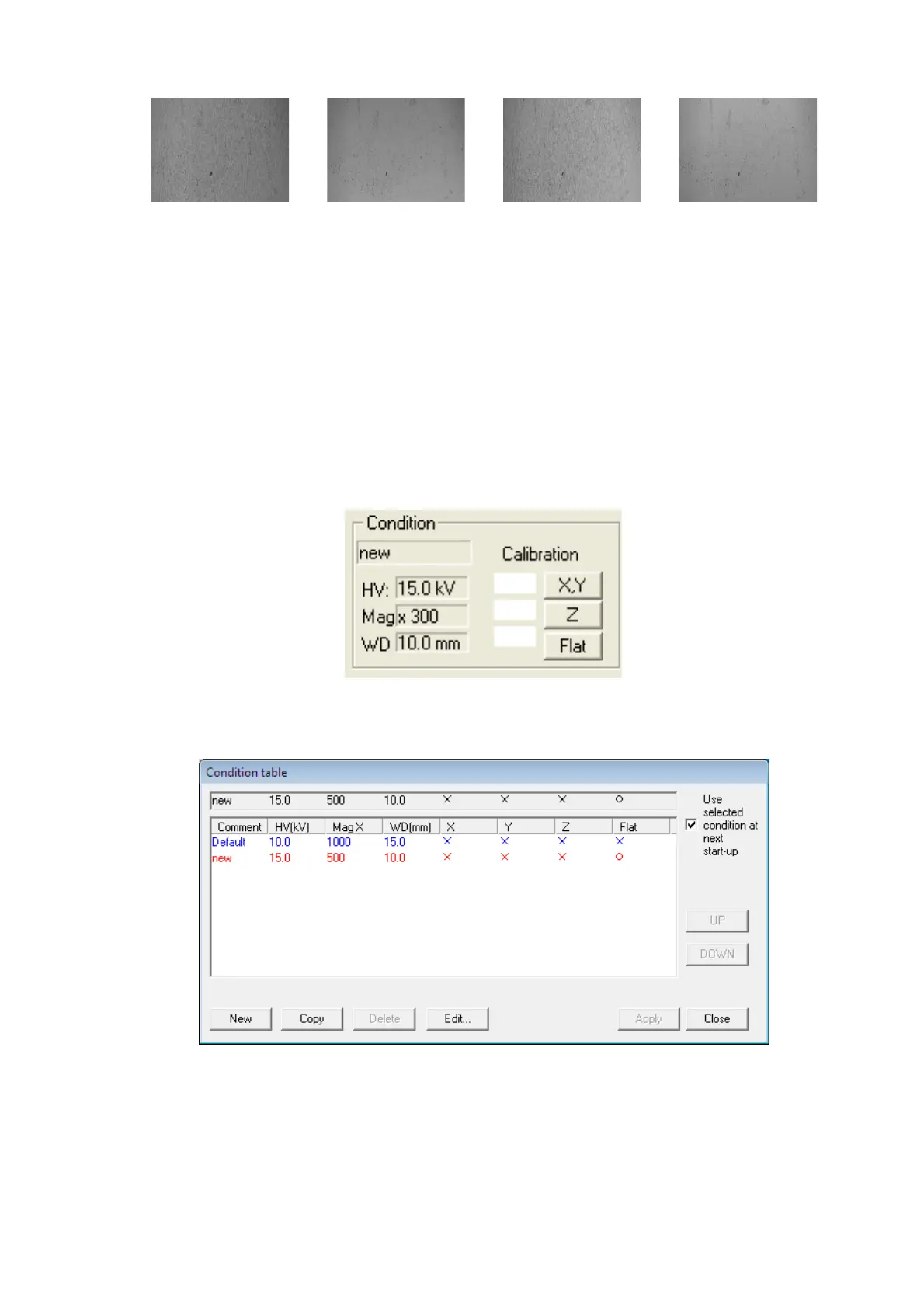
Element A Element B Element C Element D
Figure 7.25.1-5 Example of Flat Part Capturing
4. Launch 3D-Image Viewer, and import the image captured as above.
5. On the 3D-Image Viewer application, select the [Condition] from the [Calibration] menu,
or click the [Condition] block of the main operation screen of 3D-Image Viewer view to
display the Condition table dialog. On the dialog, either select the measurement
parameters to be applied or create new ones.
Figure 7.25.1-6 Condition Block
Figure 7.25.1-7 Condition table Dialog
6. Execute calibration of Flat according to the procedure of 7.24.3 Calibration of Flat.



 To Next Page