7 - 84
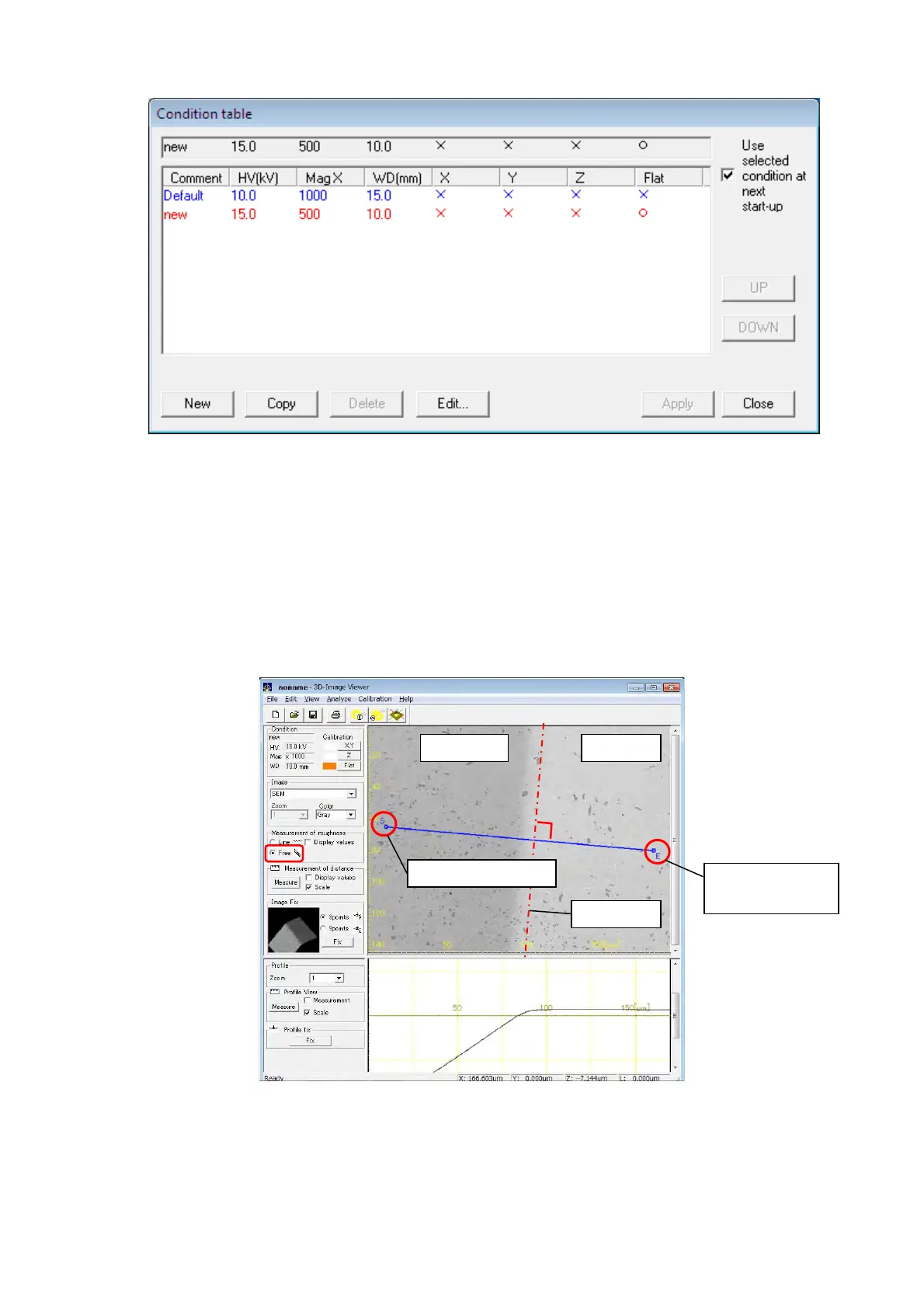
Figure 7.25.2-3 Condition table Dialog
4. Execute Z calibration according to the procedure of "7.24.2 Calibration of Z".
Specify the position of tilted part of the specimen as Z calibration position. When the
borderline of the tilted part and the flat part is vertical and does not exist, use Free of the
Measurement of roughness to specify the position. And, specify the line of calibrating Z
horizontally to the borderline of the tilted part and the flat part.
Figure 7.25.2-4 Example of Calibration of Z/Specifying Calibration Position
Tilted part Flat part
The Second click
point
Borderline
The first click point



 To Next Page