2 - 4
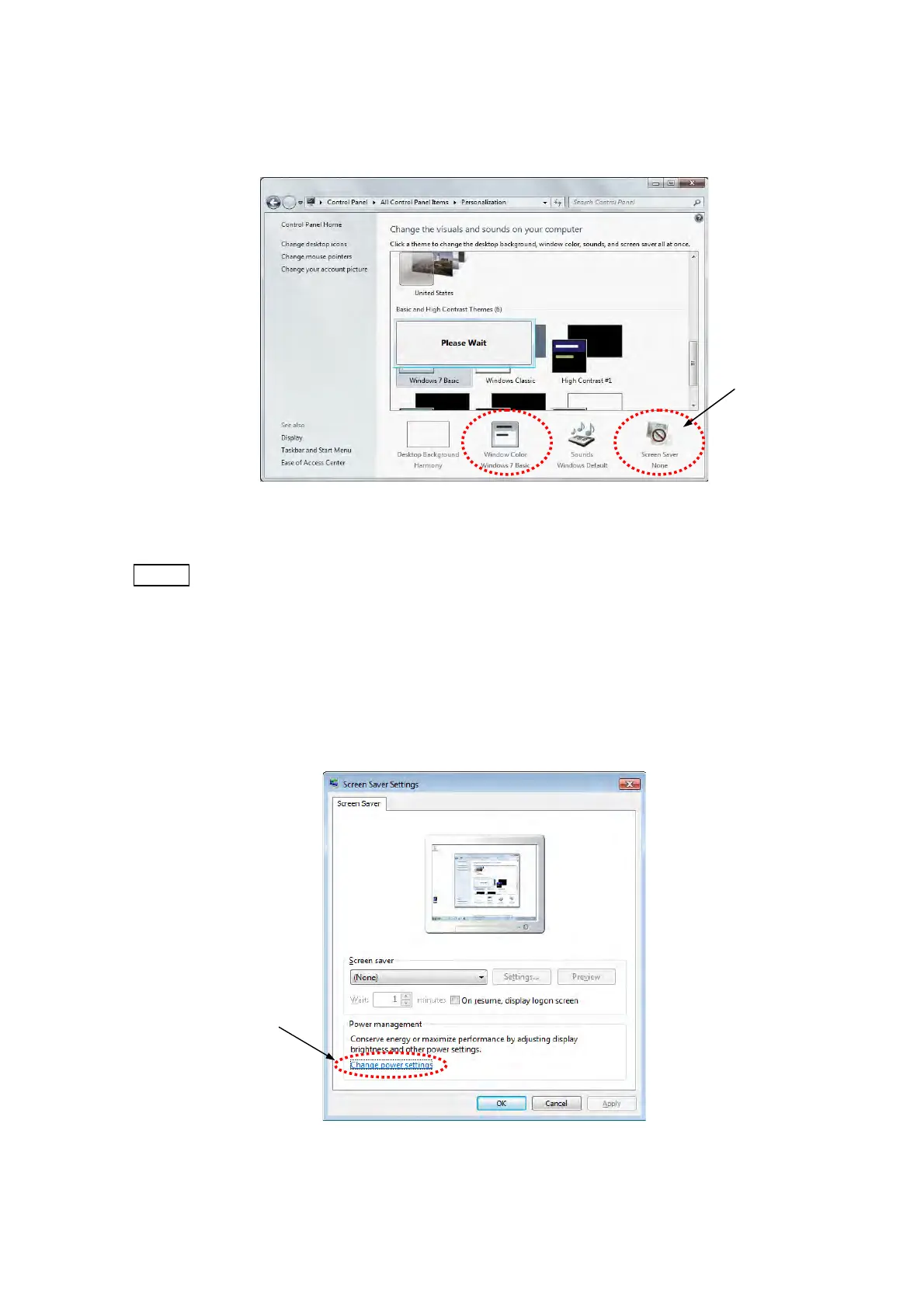
5. The window becomes black-and-white in a few seconds and recovers. Confirm the
[Windows color] becomes [Windows 7 Basic] and the [Screen saver] becomes [None].
Figure 2.2.1-5 Change the visuals and sounds on your computer Window
NOTE
: TM3030Plus application program is recommended to be used with the setting
mentioned above. With using the [Windows Aero] function, observation screen
imaging speed may be reduced and it may prevent normal observation.
6. The following window appears. Click the [Screen saver] icon located in the lower right of
the screen and click the [Change power settings] located in the lower left of the [Screen
Saver Settings] window.
Figure 2.2.1-6 Screen Saver Settings Window
Click
Click



 To Next Page