2 - 5
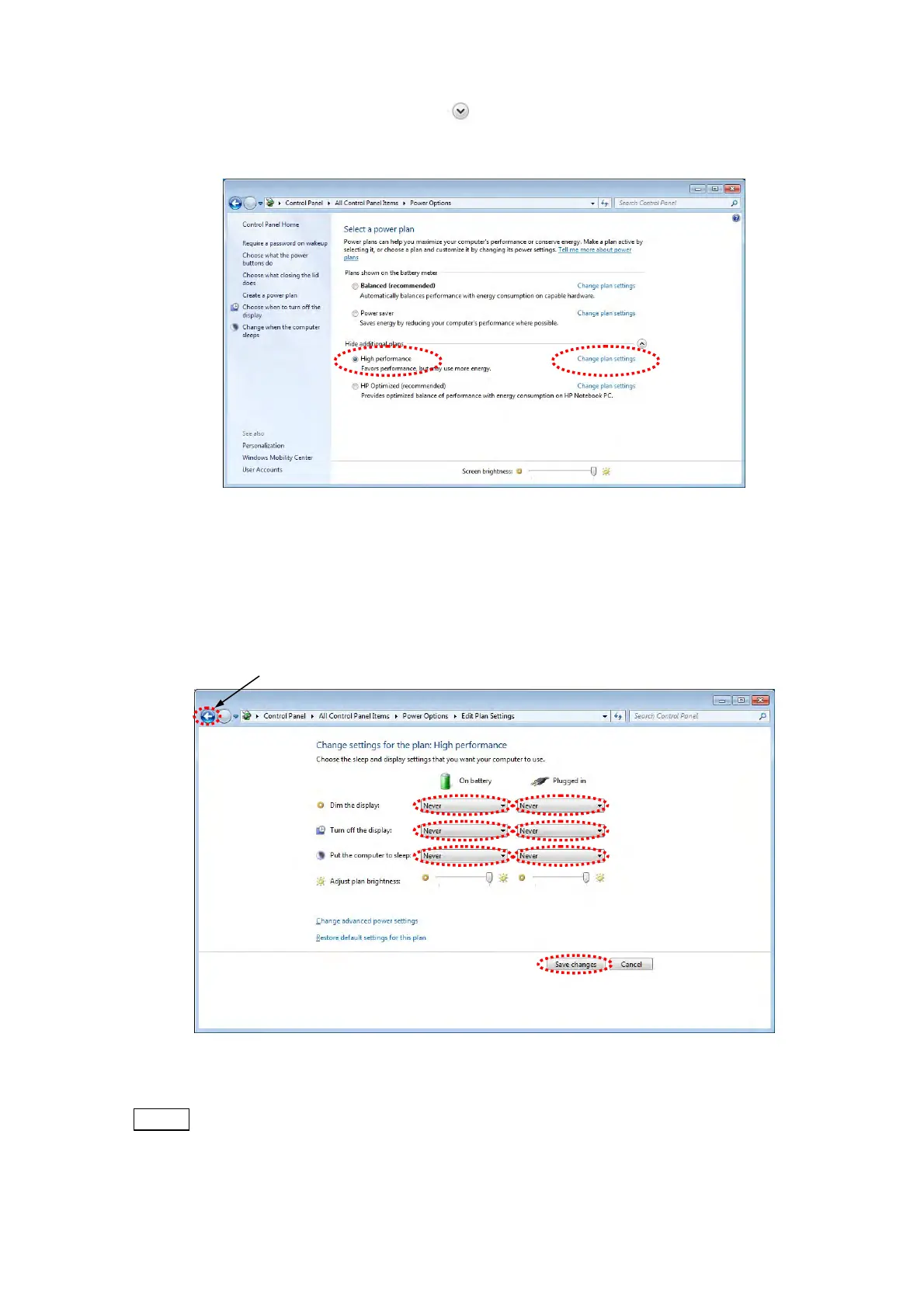
7. The following window appears. Click of the [Show additional plans] to select [High
performance], and click [Change plan settings].
Figure 2.2.1-7 Select a power plan Window
8. The [Change settings for the plan: High performance] menu is displayed. Select [Never]
in the [Dim the display], [Turn off the display] and [Put the computer to sleep] items.
Then, click the [Save changes] button.
Figure 2.2.1-8 Change settings for the plan: High performance Window
NOTE
: Configure the same above setting in the [Balanced] and [Power saver] modes.
After all the setting is done, set [Select a power plan] to [High performance].
Click(Back to Figure 2.2.1-7)



 To Next Page