2 - 6
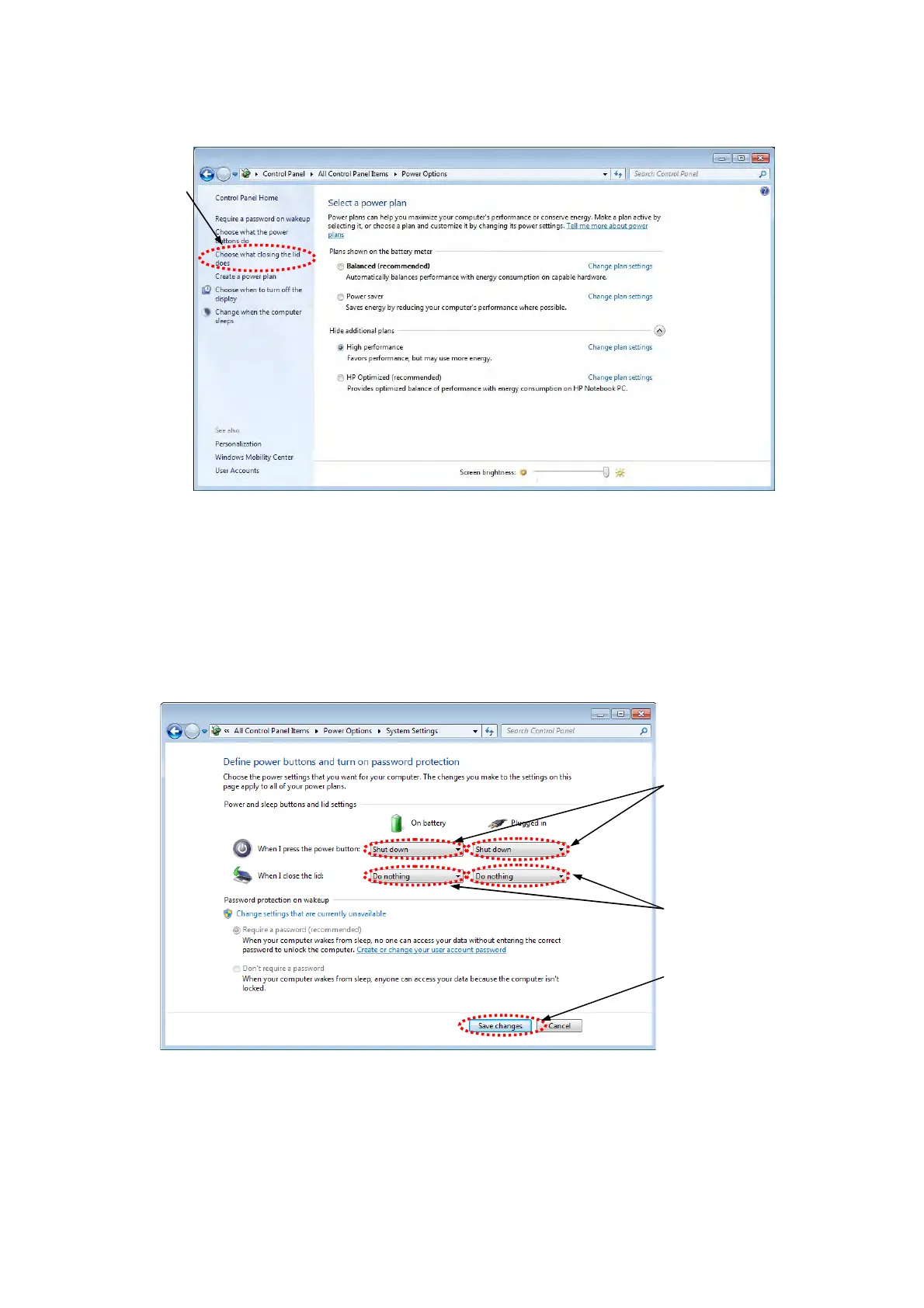
9. Back to the [Power Options], and click [Choose what closing the lid does].
Figure 2.2.1-9 Select a power plan Window
10. The following window appears. Change the setting of [On battery] and [Plugged in] for
[When I press the power button] to [Shut down]. Change the setting of [On battery] and
[Plugged in] for [When I close the lid] to [Do nothing].
Then, click the [Save changes] button.
Figure 2.2.1-10 Define power buttons and turn on password protection Window
Click
Click
Change to [Shut down]
Change to [Do nothing]



 To Next Page