2 - 7
NOTE
: When this application is running, do not use the screen saver or do not leave the
PC in the sleep or standby mode. If any of these actions are taken, USB
communication will be disrupted on Windows and application may not work
normally or image data may be lost during capturing.
When this communication error occurred, restart the application.
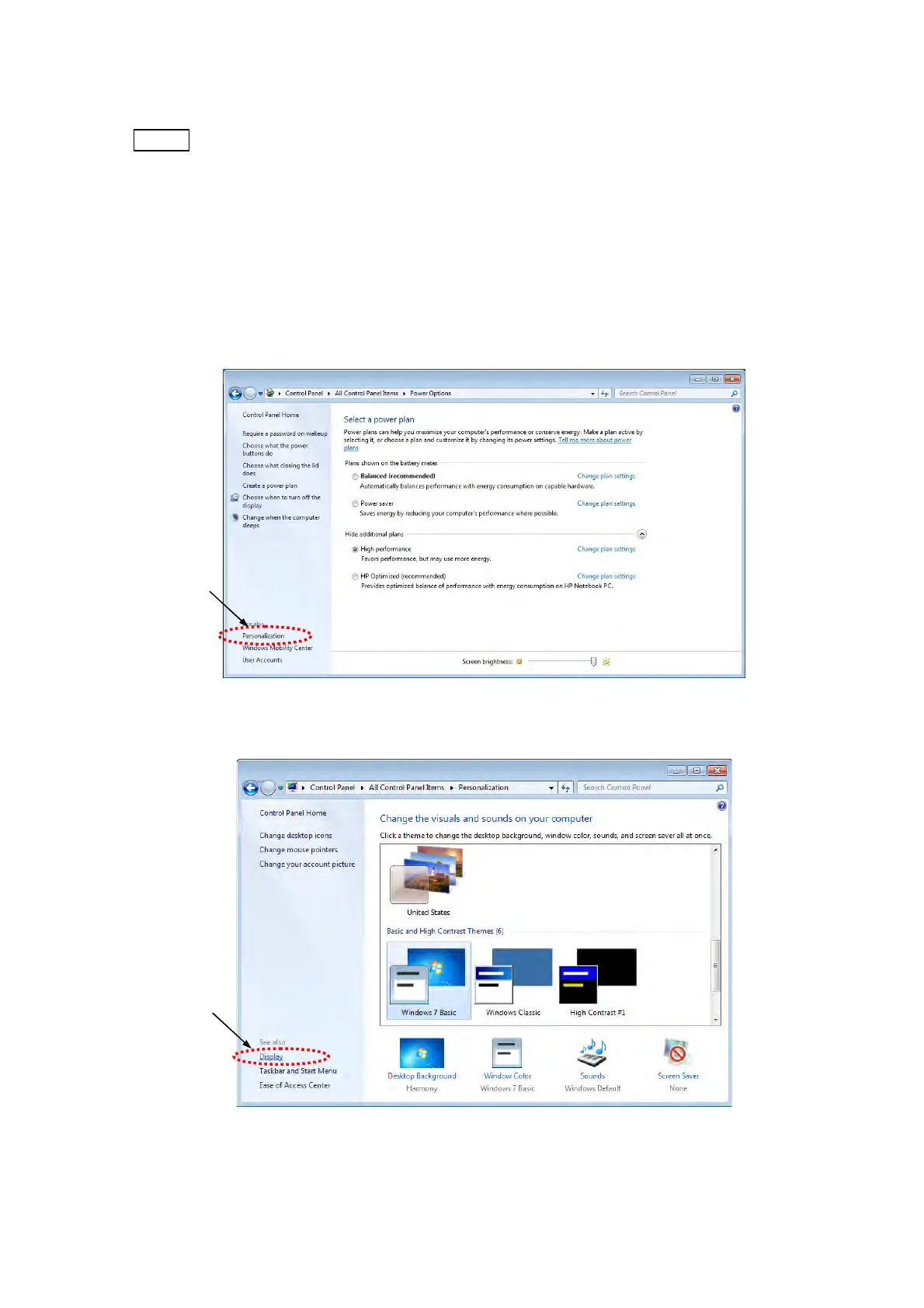
11. Return to the Select a power plan window and click [Personalization] and then [Display]
in the lower left of the window.
Figure 2.2.1-11 Select a power plan Window
Figure 2.2.1-12 Change the visuals and sounds on your computer Window
Click
Click



 To Next Page