2 - 8
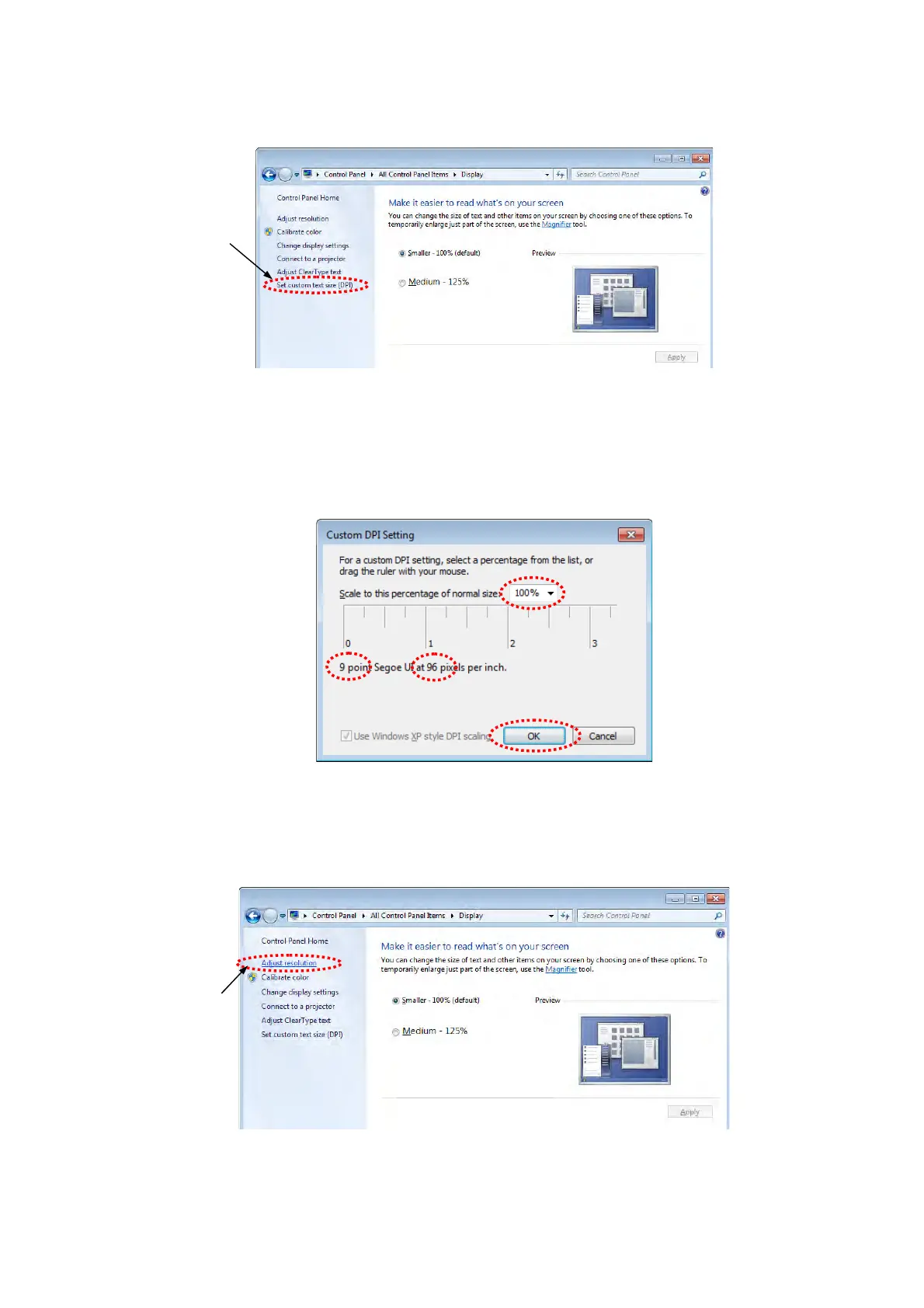
12. The following window appears. Click [Set custom text size (DPI)].
Figure 2.2.1-13 Make it easier to read what’s on your screen Window
13. Confirm the setting is same as bellow (9 point Segoe UI at 96 pixels per inch. Scale to
this percentage of normal size: 100%) and click the [OK] button.
Figure 2.2.1-14 Custom DPI Setting Window
14. Back to the Display window and click the [Adjust resolution].
Figure 2.2.1-15 Make it easier to read what’s on your screen Window
Click
Click



 To Next Page