2 - 17
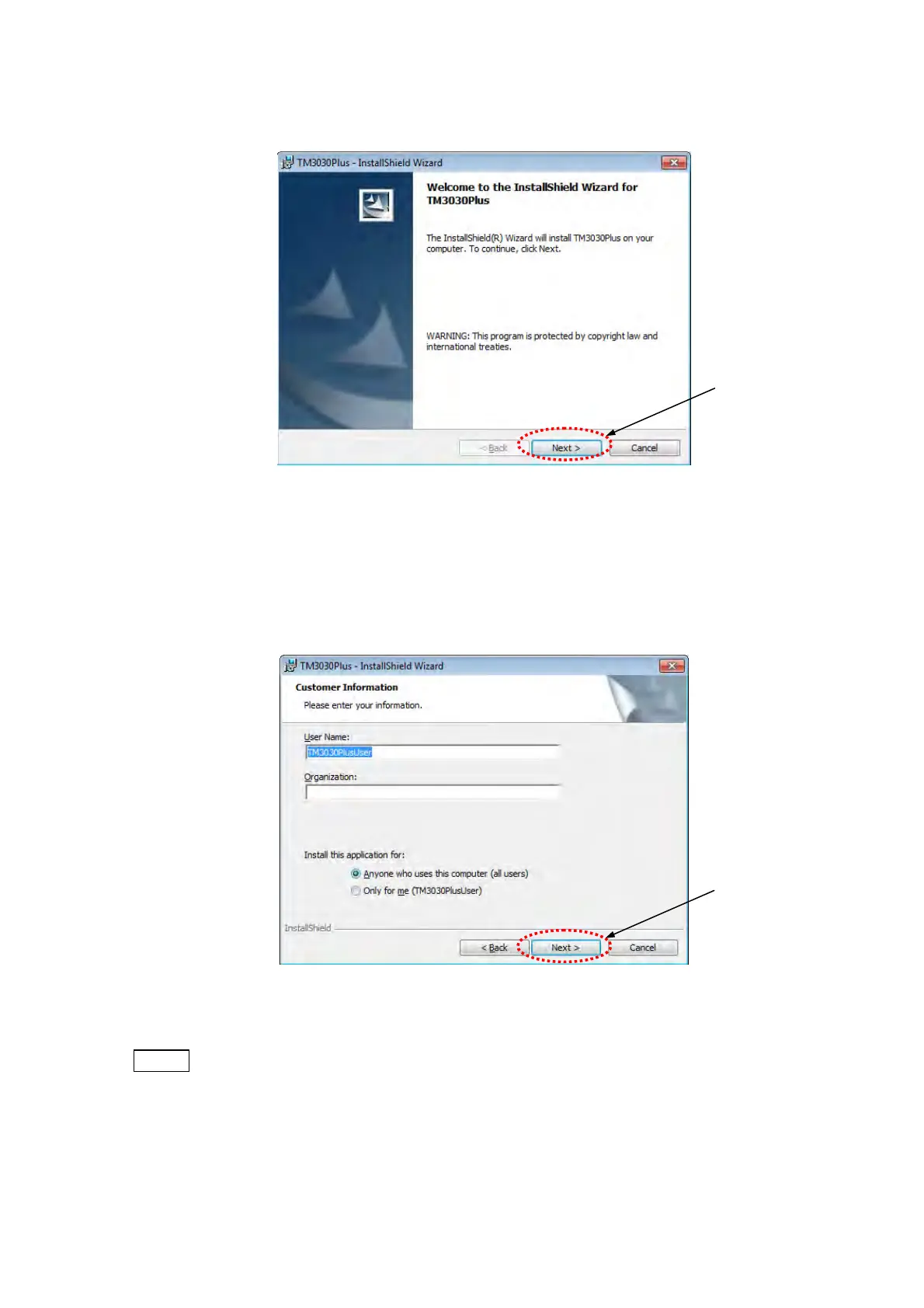
5. The following window appears. Click the [Next] button.
Figure 2.3.1-6 InstallShield Wizard Window
6. The following window appears. Input a User Name and Organization. The items saved
before will be displayed by default. In this case, they can be used without changed.
Click the [Next] button.
Figure 2.3.1-7 Customer Information Window
NOTE
: For using with all login user, select [Anyone who uses this computer (all users)] as
[Install this application for].
When selecting [Only for me (TM3030PlusUSER)], only the user who is now
installing the application can use it.
Click
Click



 To Next Page