2 - 19
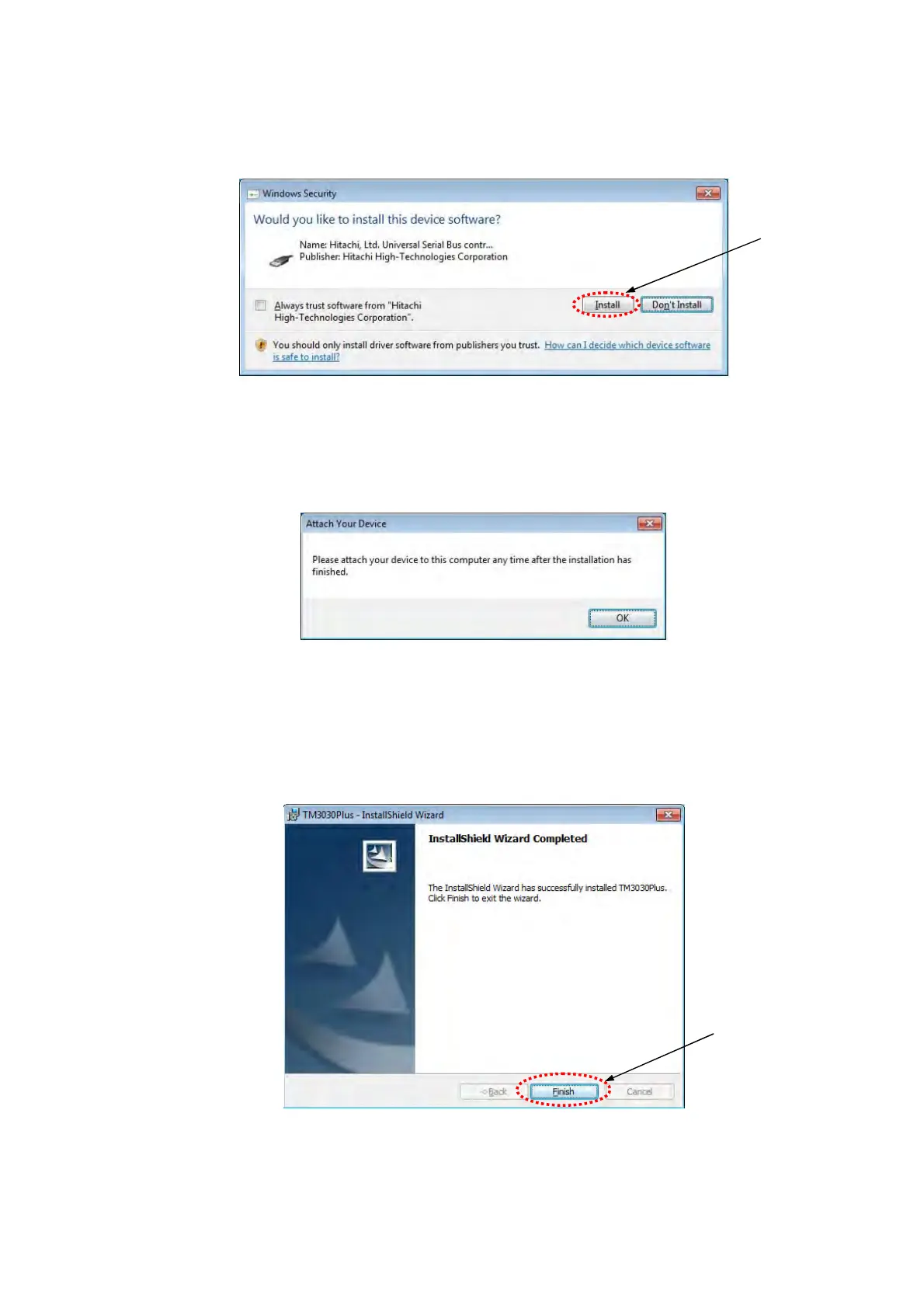
9. When installing, the following [Windows Security] window may appear. In such a case,
click the [Install] button.
Figure 2.3.1-10 Windows Security Window
10. The following window appears. Click the [OK] button.
Figure 2.3.1-11 Attach Your Device Window
11. When the install process is completed, the following window appears.
Click the [Finish] button.
Figure 2.3.1-12 InstallShield Wizard Completion Window
Click
Click



 To Next Page