▲
▼
▲▼
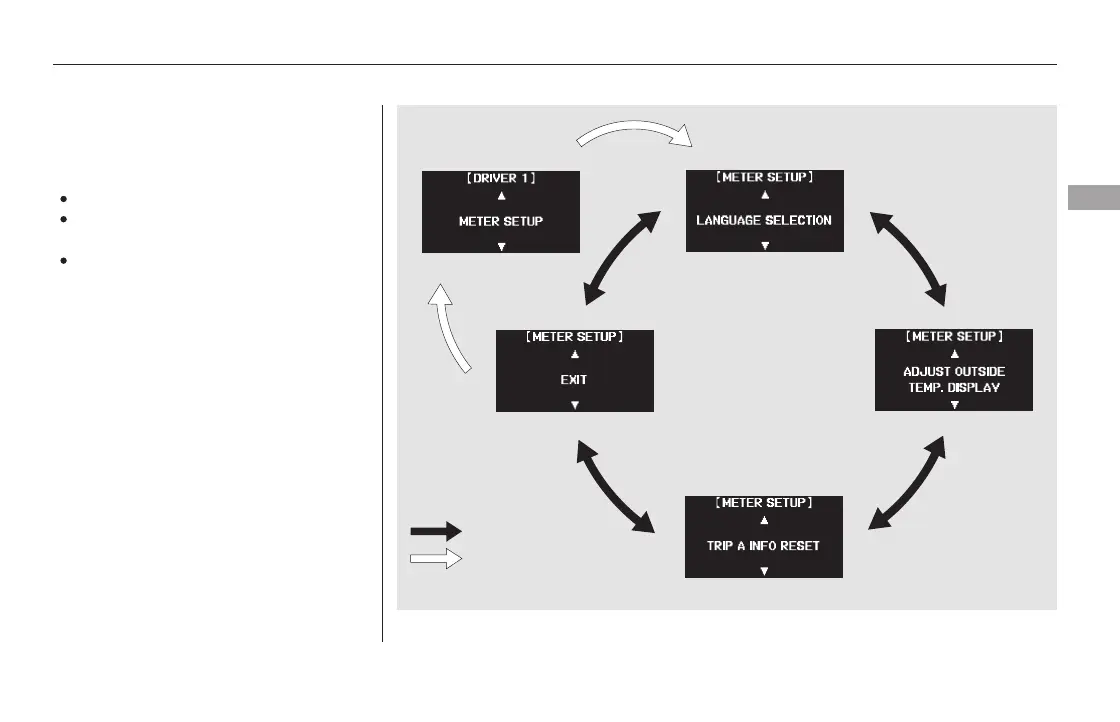
LANGUAGE SELECTION
ADJUST OUTSIDE TEMP.
DISPLAY
Here are the three custom settings
forthemetersetup:
TRIP A INFO RESET
While ‘‘METER SETUP’’ is shown,
press the SEL/RESET button to
enter the customize mode.
Each time you press the INFO ( /
) button, the screen changes as
shown in the illustration. Press the
INFO ( / ) button until you see
the setting you want to customize,
then press the SEL/RESET button
to enter your selection.
CONTINUED
Meter Setup
Multi-Information Display
Instruments and Controls
101
INFO button
SEL/RESET button
Touring model is shown.
11/08/01 08:33:54 31SZA630_108













 To Next Page