If your vehicle’s battery is
disconnected or goes dead, you may
need to set the clock.
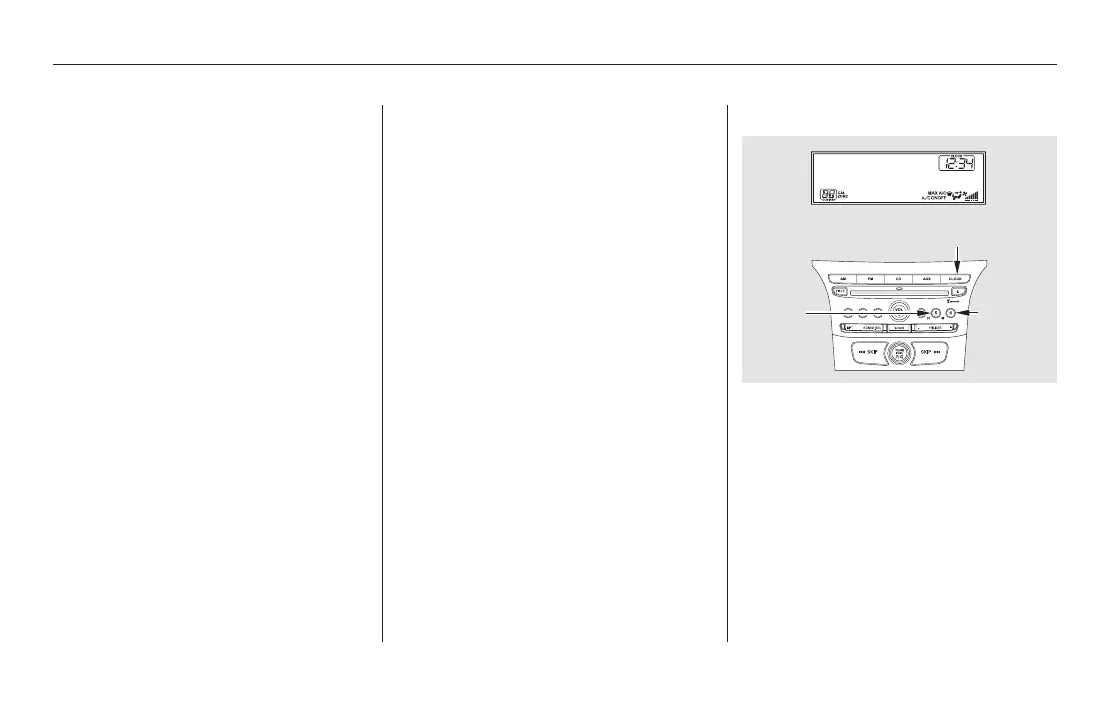
To set the time, press the CLOCK
button until you hear a beep. The
displayed time begins to blink.
When you select ‘‘Minimum Display,’’
you will see only the compass, audio
status, and clock on the upper part of
the display.
Press the CLOCK button again to
enter the set time.
Change the hours by pressing the H
(hour) button until the numbers
advance to the desired time. Change
the minutes by pressing the M
(minute) button until the numbers
advance to the desired time.
On U.S. LX models
On Vehicles without Navigation
System
Minimum Display
Display Setup, Setting the Clock
Setting the Clock
294
HOUR
BUTTON
MINUTE
BUTTON
CLOCK BUTTON
11/08/01 09:06:53 31SZA630_301













 To Next Page