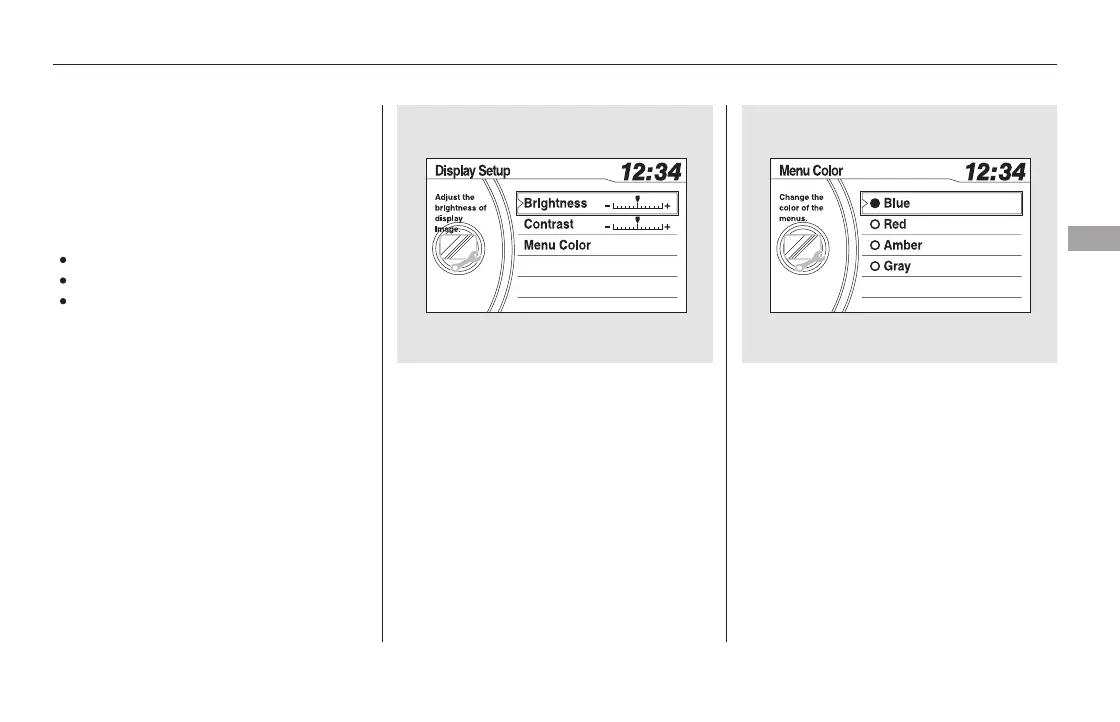
On the display setup menu, select
adjustment menu and press the
selector knob to enter the setting.
Adjust the setting by turning the
selector knob.
If you want to adjust the Menu
Color, select it by turning the
selector knob and press the
selector knob.
The display will change to as
shown above. You can change the
color of the screen to blue, red,
amber, gray. Turn the selector
knob to the setting you want, then
press the selector knob.
Press and release the RETURN
buttontogobacktothesetup
menu.
To adjust the display, highlight
‘‘Display Setup’’ from the setup menu
with the selector knob. You can
adjust these display settings:
Menu Color
Contrast
Brightness
Press the SETUP button to display
the setup menu. Turn the selector
knob to ‘‘Display Setup’’ and press
the selector knob.
1.
2.
3.
4.
EX-L models without navigation system
and Canadian EX models
Display Setup
Features
291
11/08/01 09:06:18 31SZA630_298













 To Next Page