When you select ‘‘Wallpaper,’’ the
display changes to your favorite
screen. The minimum display
information also appear on the upper
part of the screen. See page for
how to set up the wallpaper.
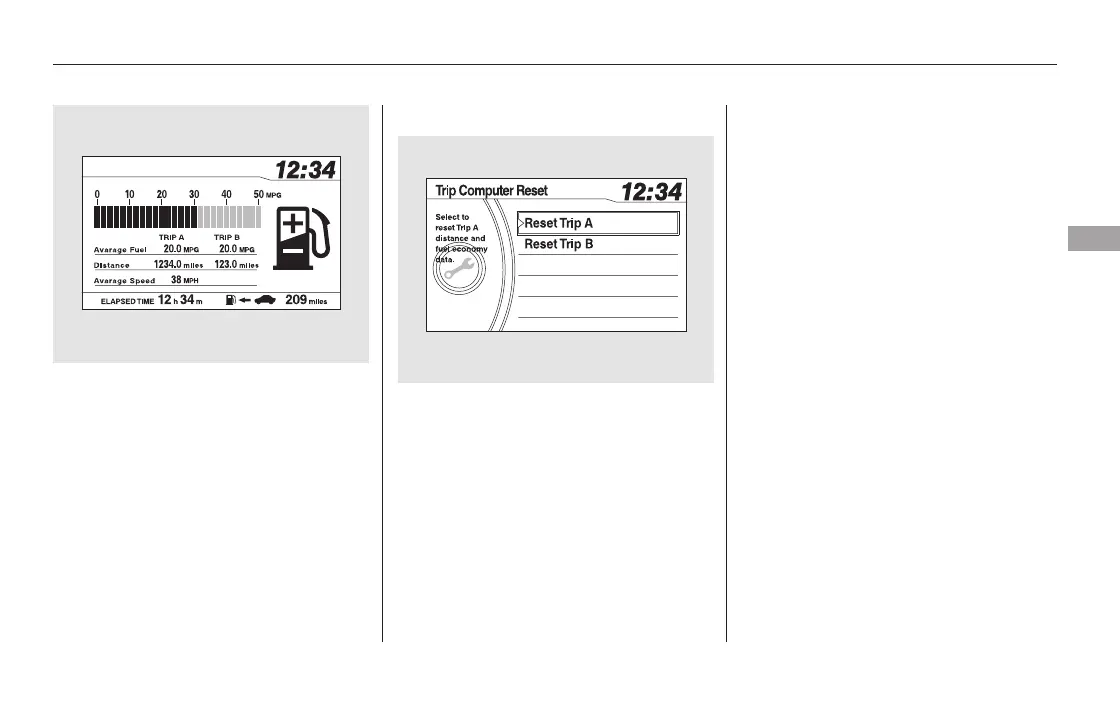
You can reset all data on the Trip
Computer. To reset the trip
computer, press the SETUP button
to display the setup menu. Turn the
selector knob to Trip Computer
Reset, and press the selector knob.
Select Trip A or Trip B by turning
the selector knob, then press the
selector knob. A confirmation
message will appear. Select ‘‘Yes’’
and press the selector knob to
completely reset.
This shows the average speed you
are traveling in miles per hour (mph)
forU.S.modelsorkilometersper
hour (km/h) for Canadian models.
This shows the accumulated
traveling time since you last reset it.
You can reset the Trip Computer,
see next column.
288
Trip Computer Reset
Average Speed
Elapsed Time
CONTINUED
Display Setup
Wallpaper
Features
293
11/08/01 09:06:42 31SZA630_300













 To Next Page