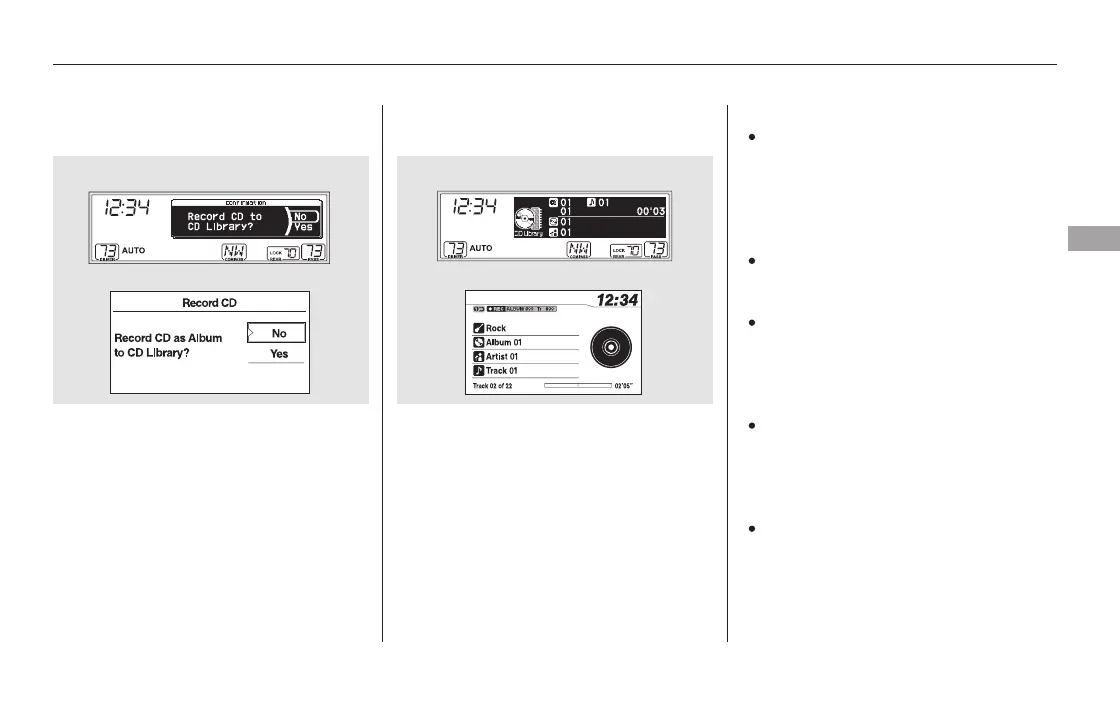
If you play a music CD that has
not been recorded in the CD
Library, the recording CD prompt
will appear on the display. Select
‘‘YES’’ to start recording to the
flash memory. To turn this display
off, see page .
Please note that there will be no
compensation offered in the case
of unsuccessful recording of audio
data or the loss of audio data due
to any cause whatsoever.
During recording, operation of this
product may be slower.
Tracks from music CDs are
recorded at eight times the
playback speed. You can listen to
tracks as they are being recorded.
Forward/rewind, repeat, random
and scan functions are not
available during recording.
If you turn off the ignition switch
while recording a CD, the CD will
begin recording again when the
power comes back.
The display will change to the
album list. Select the desired
number of the list by turning the
selector knob, then press the
selector knob. The recording icon,
recording album number, and
current recording track number
will appear while recording. When
recording is finished, the
recording icon will be turned off.
1. 2.
258
CONTINUED
Recording a Music CD to CD
Library
Playing CD Library Audio (EX, EX-L, and Canadian LX models without navigation system)
Features
257
NOTE:
EX-L and Canadian EX models EX-L and Canadian EX models
U.S. EX and Canadian LX models
U.S. EX and Canadian LX models
11/08/01 09:00:30 31SZA630_264













 To Next Page