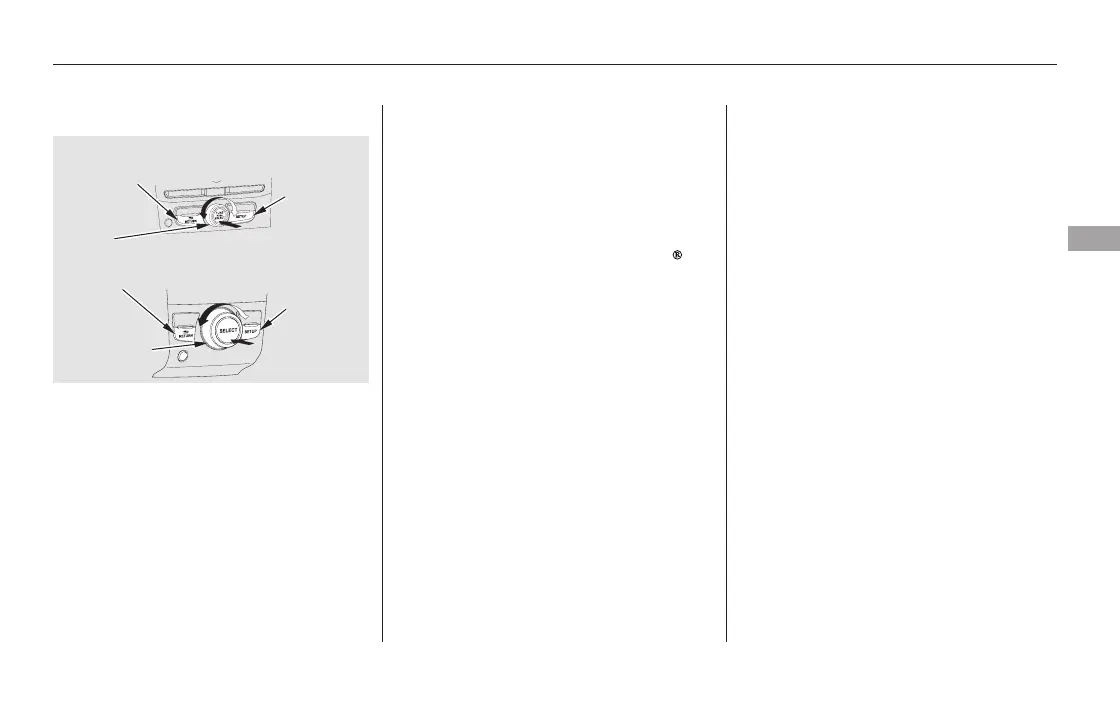
To select any setting such as the
clock or sound adjustment, press the
SETUP button. To use any audio
system function, the ignition switch
must be in the ACCESSORY (I) or
ON (II) position. You can select the
item by turning the selector knob.
To go back to the previous display,
press the RETURN button.
Pressing the SETUP button again
will also cancel the setup display
mode.
The knob turns left and right. Use it
to scroll through lists, or to make
selections or adjustments to a list or
menu item on the display. When you
make a selection, push the center of
the selector to go to that selection.
When the audio system is in XM
Radio mode or playing discs, pushing
the selector knob switches the
display between the normal display
andtheextendeddisplay.
Most audio system functions can be
controlled by standard buttons, bars,
and knobs. In addition, you can
access some functions by using the
selector knob on the audio system.
Selector Knob SETUP Display
Audio System (EX, EX-L, and Canadian LX models without navigation system)
Features
227
Without rear entertainment system
SETUP
BUTTON
SELECTOR
KNOB
SETUP
BUTTON
RETURN BUTTON
With rear entertainment system
RETURN BUTTON
SELECTOR
KNOB
11/08/01 08:55:15 31SZA630_234













 To Next Page