*******
You can set each security code on all
six cell phones. Each can be security
code protected, and have its own
phonebook, speed dial, and call
history.
If the phone name you selected is
security code protected the speed
dial list becomes ‘‘ .’’
Select ‘‘Yes’’ from the
confirmation screen.
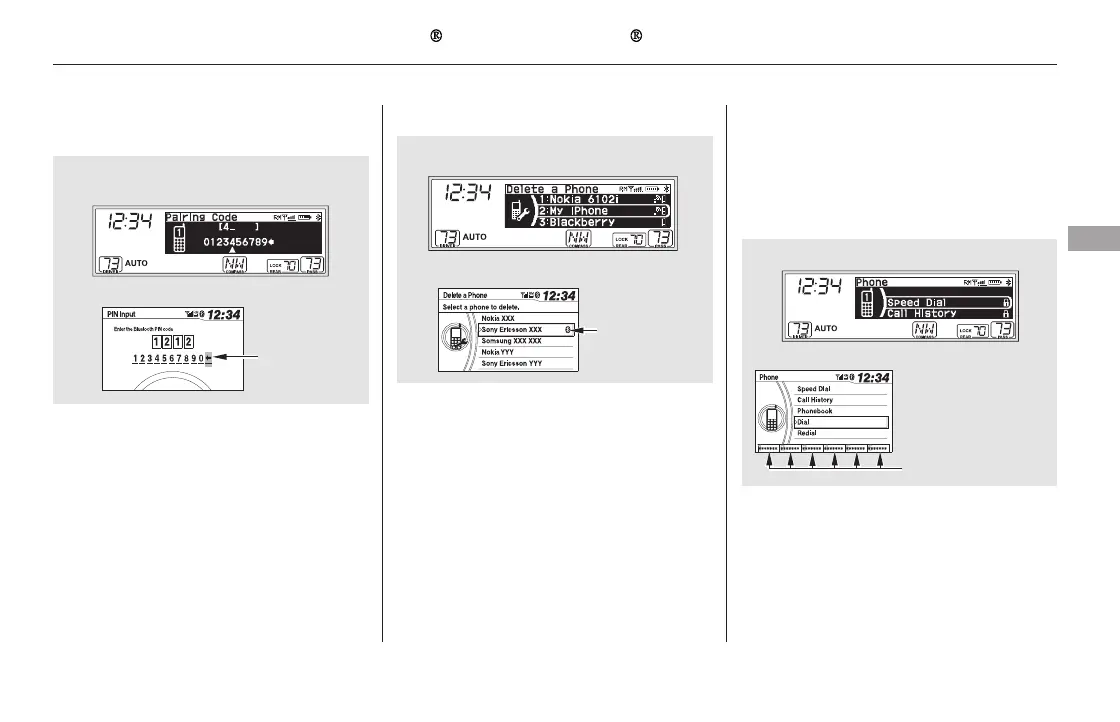
Select the phone you want to
delete. The Bluetooth icon shows
you the currently linked phone.
Select ‘‘Delete.’’
Select ‘‘Connection’’ from the
Phone Setup screen.To create your own Pairing code or
Bluetooth PIN, select ‘‘Fixed’’ or
‘‘Fixed PIN’’ and follow steps 3 and 4.
Delete the current Pairing code or
Bluetooth PIN.
Enter a new Pairing code or
Bluetooth PIN.
1.
2.
3.
4.
3.
4.
CONTINUED
To delete a paired phone: Edit Security Code
Bluetooth
HandsFreeLink (Models without navigation system)
Features
451
U.S. EX and Canadian LX models
EX-L and Canadian EX models
U.S. EX and Canadian LX models
BLUETOOTH
ICON
SPEED DIAL LIST
WHEN SECURITY
CODE-PROTECTED
EX-L and Canadian EX models
Example
Push the
SELECT to
delete
U.S. EX and Canadian LX models
EX-L and Canadian EX models
11/08/01 09:34:06 31SZA630_458













 To Next Page