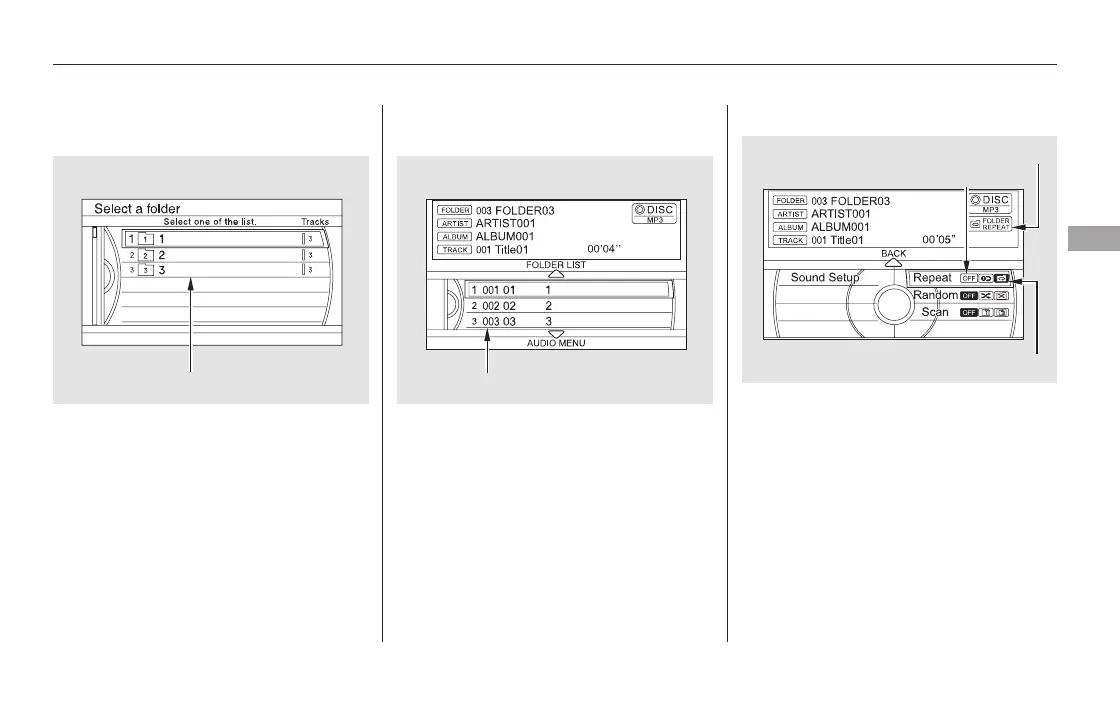
Changing and Selecting the Folders/
Files
Using the interface selector, you can
see the list of all the folders within a
disc. While playing an MP3/WMA/
AAC disc, push the interface selector
up. The folder list in the currently
playing disc will appear on the screen.
If the root folder has some additional
folders in the lower layer, they will
belistedonthescreen.
Select a desired folder by turning the
interface dial, then press ENTER.
The screen will change to the file list.
Select a desired file and press
ENTER. The selected file begins to
play.
To change a file, turn the interface
dial to select a desired file, then
press ENTER.
This feature, when activated, replays
all files on the selected folder in the
order they are compressed. To
activate folder repeat play, push the
interface selector down while playing
a disc. Turn the interface dial to
select Repeat on the AUDIO MENU,
andpressENTERontheinterface
selector. Turn the interface dial to
select the folder repeat icon, and
press ENTER on the interface
selector.
CONTINUED
Folder Repeat
Playing a Disc (Models with navigation system)
Features
327
FOLDER LIST
FOLDER REPEAT INDICATOR
FOLDER REPEAT ICON
REPEAT OFF ICON
FILE LIST
11/08/01 09:12:15 31SZA630_334













 To Next Page