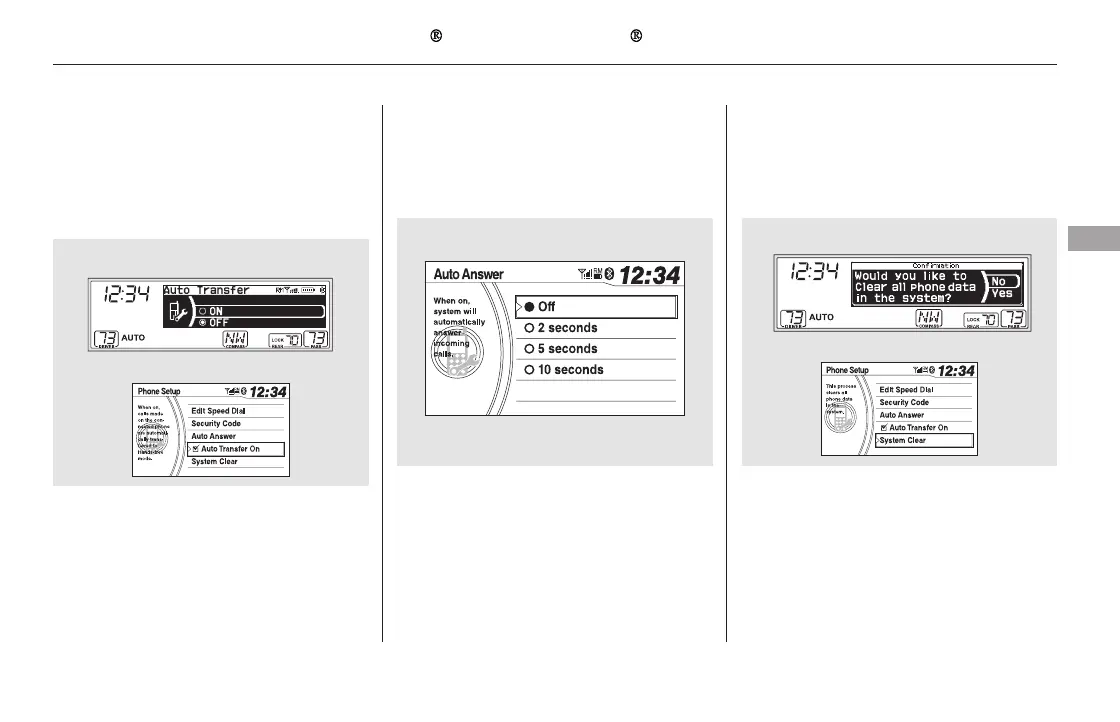
If you get into the vehicle while you
are on the phone, the call can be
automatically transferred to HFL
with the ignition switch in the
ACCESSORY (I) or ON (II) position.
This operation clears the security
codes, paired phones, all stored voice
tags, all speed dial entries, and all
imported phonebook data.
Select ‘‘Auto Transfer’’ from the
Phone Setup screen.
Push the selector knob to turn it
on or off. The default setting is On.
Select ‘‘System Clear’’ from the
Phone Setup screen.
Select ‘‘Yes’’ from the
confirmation screen.
Select ‘‘Off,’’ ‘‘2 seconds,’’ ‘‘5
seconds,’’ or ‘‘10 seconds.’’ The
default setting is Off.
YoucanchoosewhentheHFL
system automatically answers
incoming calls.
Select ‘‘Auto Answer’’ from the
Phone Setup screen.1.
2.
1.
2.
1.
2.
CONTINUED
EX-L and Canadian EX models
Automatic Transferring Automatic Answering To clear the system
Bluetooth
HandsFreeLink (Models without navigation system)
Features
453
U.S. EX and Canadian LX models
EX-L and Canadian EX models
EX-L and Canadian EX models
U.S. EX and Canadian LX models
11/08/01 09:34:38 31SZA630_460













 To Next Page