−
−
−
−
To change the volume level of
HFL, use the audio system volume
knob or the steering wheel volume
controls.
Try to reduce all background
noise. If the microphone picks up
voices other than yours,
commands may be misinterpreted.
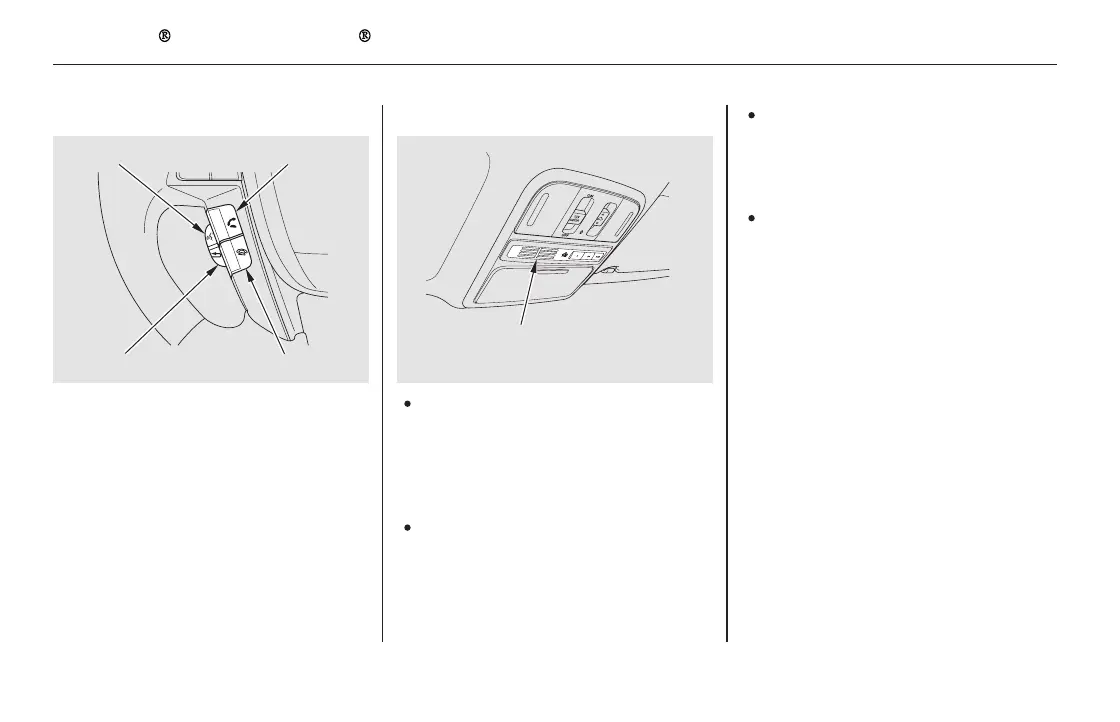
Press and
release to answer a call, or press to
go directly to the Phone screen.
Press and
release to end or decline a call.
Airorwindnoisefromthe
dashboard and side vents and all
windows may interfere with the
microphone. Adjust or close them
as necessary.
You can change the system language
to English, French, or Spanish (see
page ).
Press and release
to call a number with a stored voice
tag.
Press and release
to cancel a command.
Press and release the Talk button
when you want to call a number
using a stored voice tag. After the
beep, speak in a clear, natural tone.
297
Voice Control TipsHFL Buttons
Language Selection
Bluetooth
HandsFreeLink (Models without navigation system)
PICK-UP Button
HANG-UP Button
TALK Button
BACK Button
442
BACK BUTTON
TALK BUTTON PICK-UP BUTTON
HANG-UP BUTTON
MICROPHONE
EX-L model shown.
11/08/01 09:32:29 31SZA630_449













 To Next Page