▼▲
Audio Language
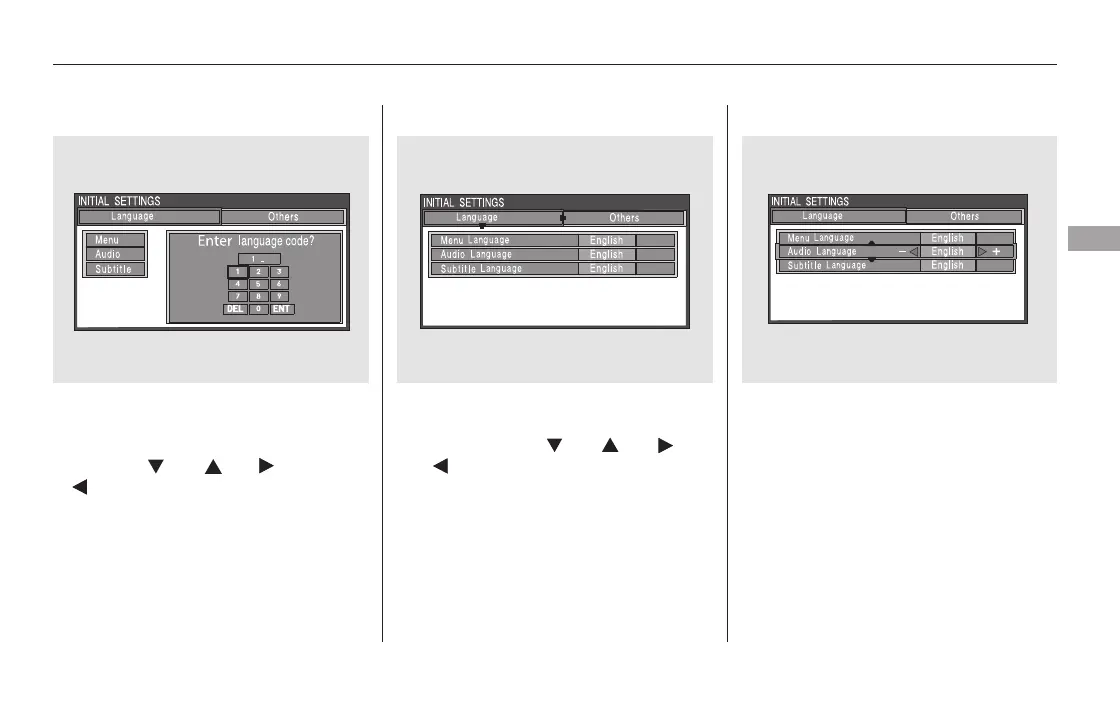
If you select ‘‘Yes,’’ the display
changes to the language code input
mode. Select the first number digit
usingthe,,,or
button, and press the ENT
button to enter it. Repeat this until all
four digits are filled. When the
fourth digit is entered, the cursor
automatically moves to ‘‘ENT’’ on the
display. Press the ENT button on the
control panel to enter the new
language code.
If you made a mistake entering a
number digit, select ‘‘DEL’’ on the
display with the , , ,
or button, and press the ENT
buttononthecontrolpanel.Then
select and enter the correct number
digit as described. The display
returns to the initial ‘‘Language’’
menu screen.
You can select the dubbed language
before playing DVDs.
Select ‘‘Audio Language’’ by pressing
the or button. You will see the
submenu next to ‘‘Audio Language.’’
Follow the same instructions you
used to set the menu language.
CONTINUED
Rear Entertainment System
Features
419
11/08/01 09:28:34 31SZA630_426













 To Next Page