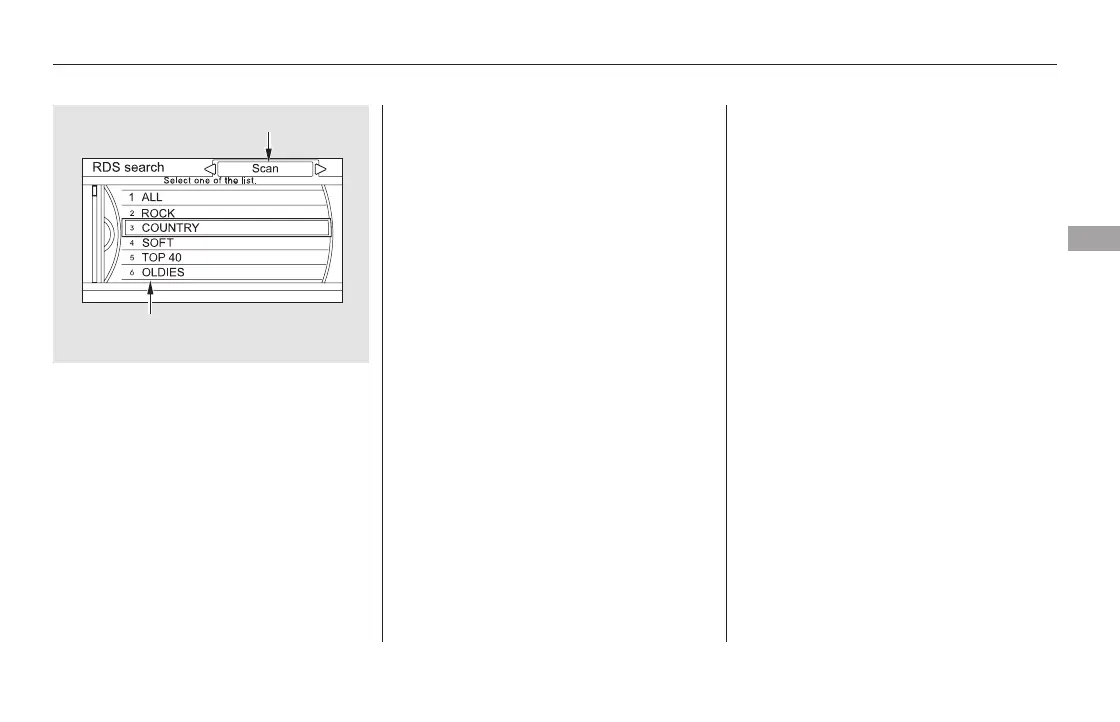
To activate RDS category scan with
the interface dial, push the AUDIO
button to display the FM radio
information on the screen. Push the
interface selector down, and turn the
interface dial to select RDS search
on the audio menu. Press ENTER on
the interface selector. The screen
shows you the RDS category list.
Turn the interface dial to the desired
RDS category.
While the RDS category is selected,
move the interface selector to the
left or the right to select SCAN.
Then press ENTER to activate the
RDS SCAN.
This function displays the radio text
information of the selected RDS
station.
If the selected RDS station has the
radio text information, you will see
the text indicator on the screen.
CONTINUED
Radio Text Display
Playing the FM/AM Radio (Models with navigation system)
Features
307
RDS CATEGORY LIST
SEEK/SCAN ICON (RDS Search mode)
SCAN is selected.
11/08/01 09:08:59 31SZA630_314













 To Next Page