Select the track with the interface
dial from the playback screen
while it is playing. Push the
interface selector down to display
the AUDIO MENU.
Turn the interface dial and select
‘‘Edit Music Info.,’’ then press
ENTER.
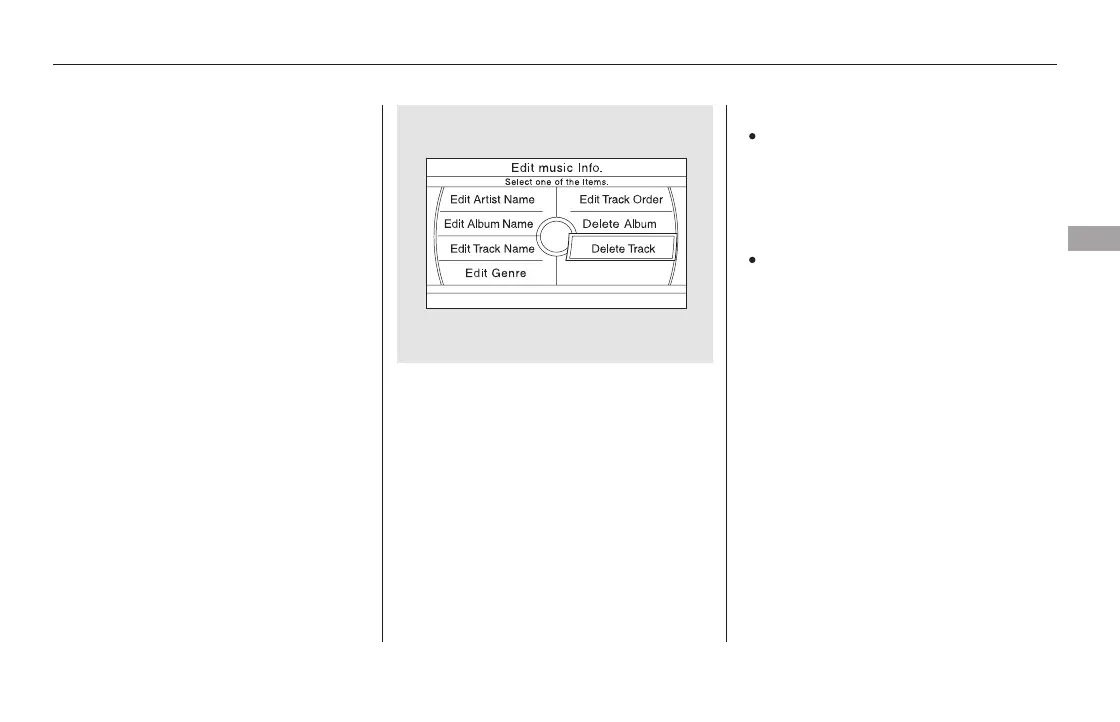
The ‘‘Edit music Info.’’ screen is
displayed. Select Delete Track and
press ENTER.
Select OK to confirm you want to
delete the track. You will be
returned to the Playback screen
for the Original Playlist or User
Playlist.
When you delete a track from the
Original Playlist, the track is also
deleted from the User Playlist in
which the deleted track was
stored.
Even if all the tracks are deleted
from the User Playlist, the data
folder for that playlist cannot be
deleted, and their names (playlist
and artist) are left. You can store
tracks again on that playlist.
1.
2.
3.
4.
Deleting a Track
Playing Hard Disc Drive (HDD) Audio (Models with navigation system)
Features
357
NOTE:
11/08/01 09:17:40 31SZA630_364













 To Next Page