*
+
−
+
−
*
To change a track or tracklist , press
on the Category bar or the Skip bar.
The tracklist has six search
mode categories: album, artist,
track, playlist, genre, and album
record date. Within the selected
category, the tracklist will be
changed with the category bar.
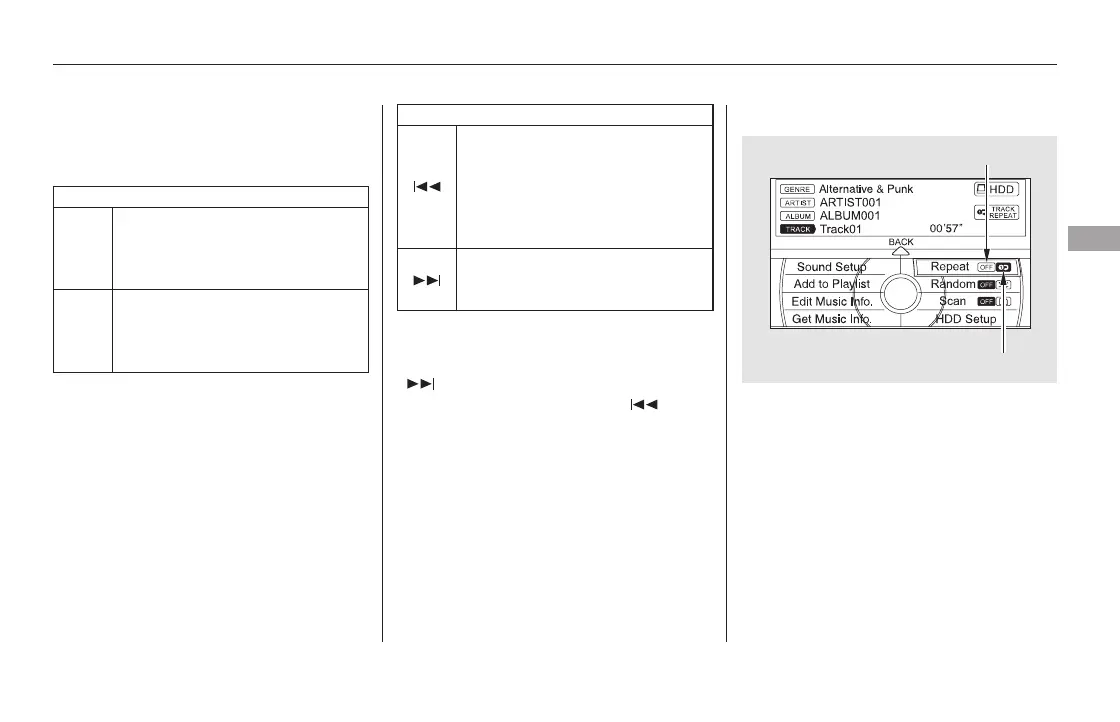
To replay the current track
continuously, push the interface
selector down during track playback.
Turn the interface dial to select
Repeat on the HDD AUDIO MENU,
andpressENTERontheinterface
selector. Turn the interface dial to
select the repeat icon, then press
ENTER on the interface selector.
To fast forward, press and hold the
side of the SKIP bar. To
rewind, press and hold the side
of the SKIP bar.
:
Category Bar
Skip Bar
CONTINUED
The next tracklist is selected.
Ifyoupress duringthelast
tracklist, the first tracklist is
selected.
The previous tracklist is selected.
Ifyoupress duringthefirst
tracklist, the last tracklist is
selected.
Returns to the beginning of the
song that is being played.
Otherwise, the previous track is
selected. If you press this bar
during the first song, the last song
is selected.
The next song is selected. If you
press this bar during the last song,
the first song is selected.
Changing a Track/Tracklist Repeat Playback
Fast Forwarding and Rewinding
Playing Hard Disc Drive (HDD) Audio (Models with navigation system)
Features
341
REPEAT ICON
REPEAT OFF ICON
11/08/01 09:15:00 31SZA630_348













 To Next Page