Push the selector knob to list the
number or numbers stored for the
selected name.
Select a number and push the
selector knob to begin automatic
dialing.
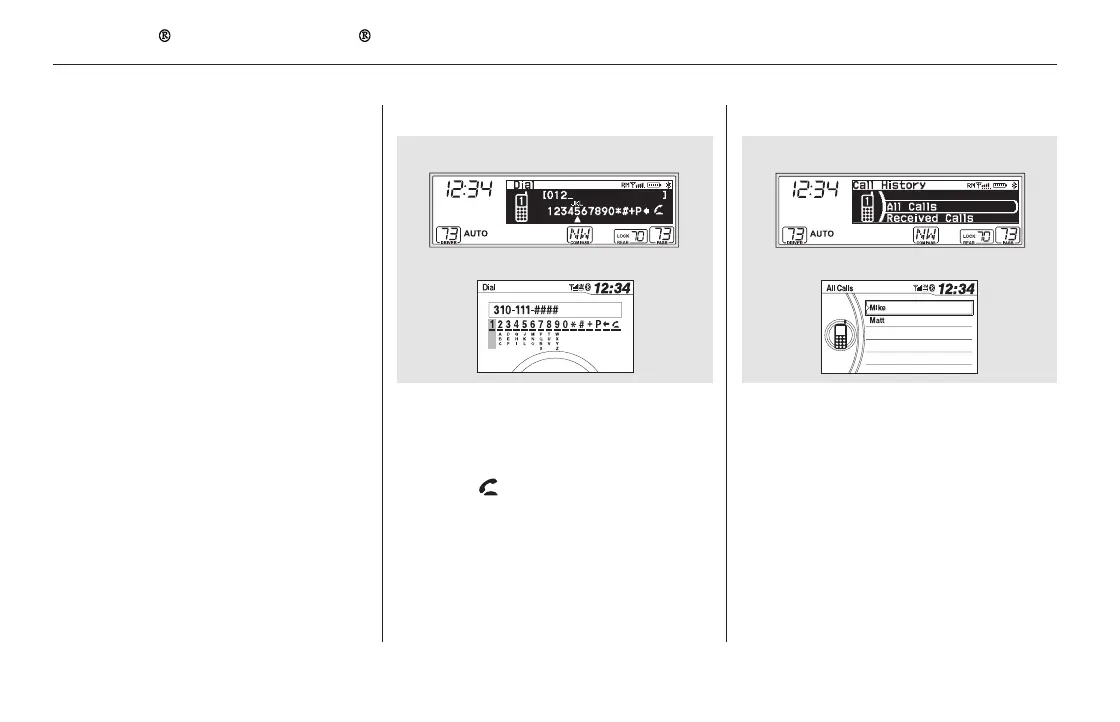
Select ‘‘Dial’’ from the Phone
screen.
Enter the phone number, and
select .
Select ‘‘Call History’’ from the
Phone screen.
Call History is sorted by ‘‘All Calls,’’
‘‘Received Calls,’’ ‘‘Dialed Calls,’’
and ‘‘Missed Calls.’’ Selecting a
number begins automatic dialing.
Some phones do not support
‘‘All Calls.’’
1.
2.
3.
4.
1.
2.
To make a call using a phone number: To make a call using Call History:
Bluetooth
HandsFreeLink (Models without navigation system)
458
NOTE:
U.S. EX and Canadian LX models
EX-L and Canadian EX models
U.S. EX and Canadian LX models
EX-L and Canadian EX models
11/08/01 09:35:55 31SZA630_465













 To Next Page