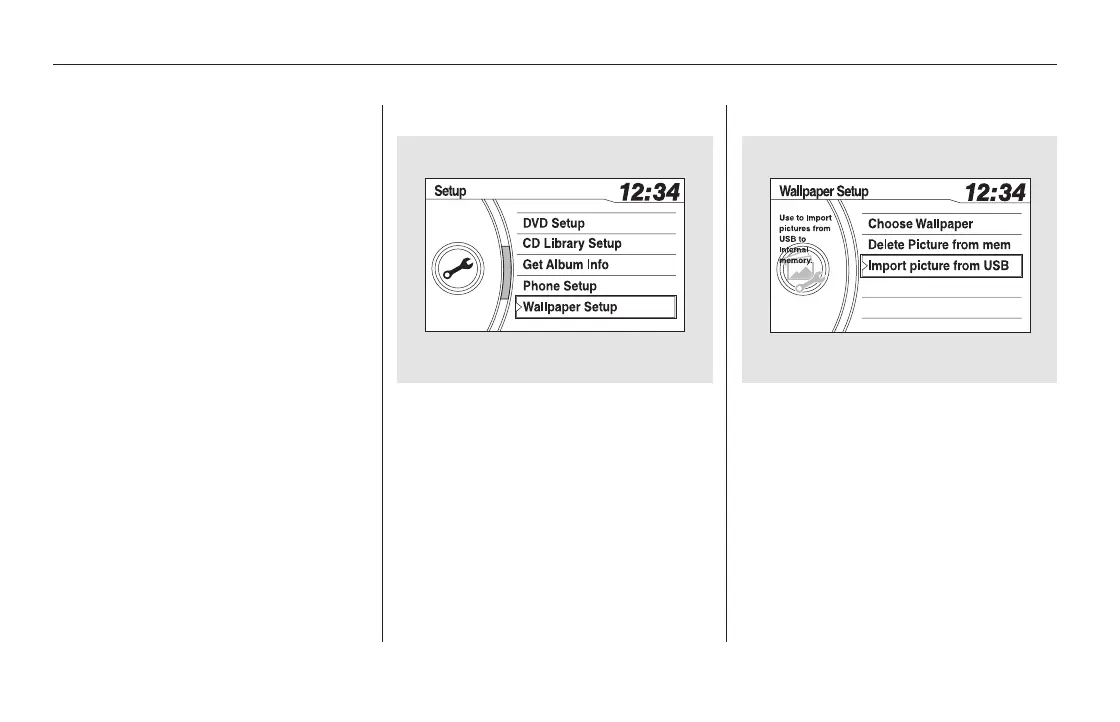
Connect the USB flash memory
device that includes pictures you
want to store. Press the SETUP
button to display the setup menu.
Turn the selector knob to
‘‘Wallpaper Setup’’ and press the
selector knob.
The display will change to the
wallpaper setup menu. Turn the
selector knob to ‘‘Import Picture
from USB,’’ then press the
selector knob.
If the USB flash memory device
does not have any picture, ‘‘No
Files’’ message will appear on the
display.
The wallpaper setup function can
change, store or delete the wallpaper
on the display. You can store up to
five pictures from USB flash
memory devices. Two default
wallpapers are already stored.
Refer to the navigation system
manual for operation of the
wallpaper setup.
1. 2.
On vehicles with navigation system
EX-L and Canadian EX models Import Picture from USB
Wallpaper Setup
288
11/08/01 09:05:46 31SZA630_295













 To Next Page