You can update the Gracenote
Album Info (Gracenote Media
Database) that is included with the
navigation system.
Insert the update disc into the disc
slot, or connect the USB flash
memory device that includes the
update.
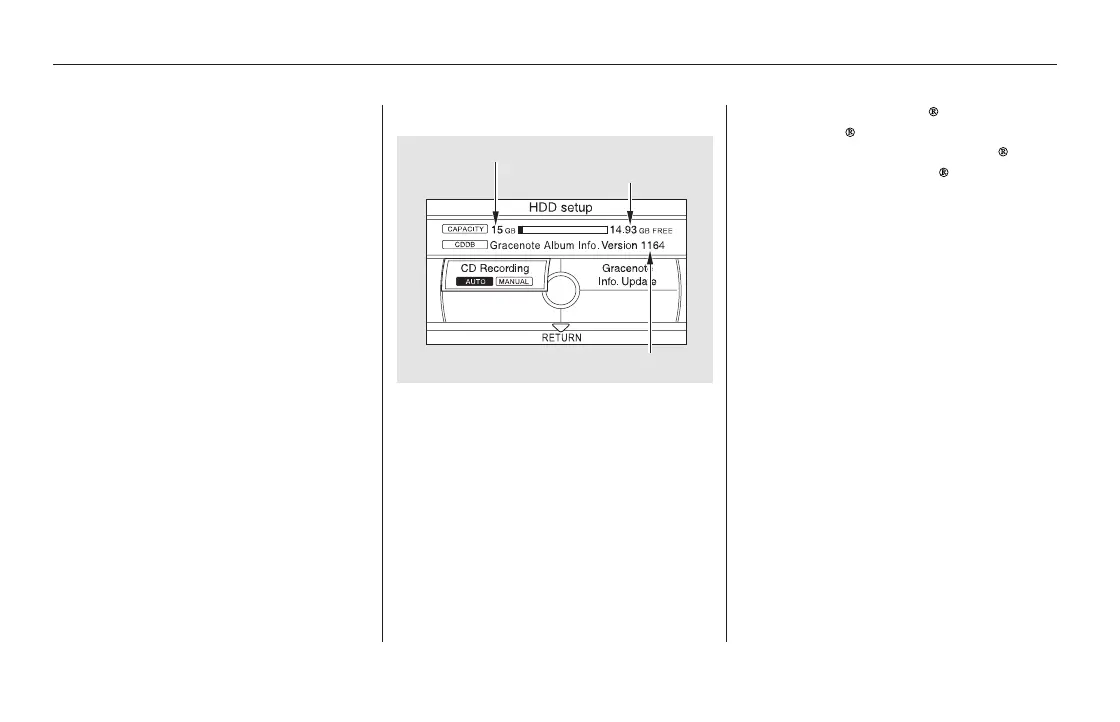
To check the HDD audio capacity,
push the interface selector down to
display the AUDIO MENU. Turn the
interface dial to select HDD Setup,
then press ENTER.
You can check the HDD Audio
capacity and remaining space as well
as the Gracenote Music Recognition
Service (CDDB) version included
with the navigation system on the
HDD Setup screen.
Push the interface selector down
to display the AUDIO MENU.
Turn the interface dial and select
Get Music Info., then press
ENTER.
On the ‘‘Select an Album’’ screen,
turn the interface dial and select
the title information for the
Original Playlist, then press
ENTER. You will be returned to
the ‘‘Audio Menu’’ screen.
Consult your dealer, or visit
(in U.S.), or
(in Canada), to acquire
updated files.
1.
1.
2.
3.
www.honda.com
www.honda.ca
Updating Gracenote Album Info
(Gracenote
Media Database)
Checking HDD Audio CapacityAcquiring Title Information
Playing Hard Disc Drive (HDD) Audio (Models with navigation system)
358
NOTE:
MAXIMUM CAPACITY
VERSION
REMAINING CAPACITY
11/08/01 09:17:54 31SZA630_365













 To Next Page