Top Menu
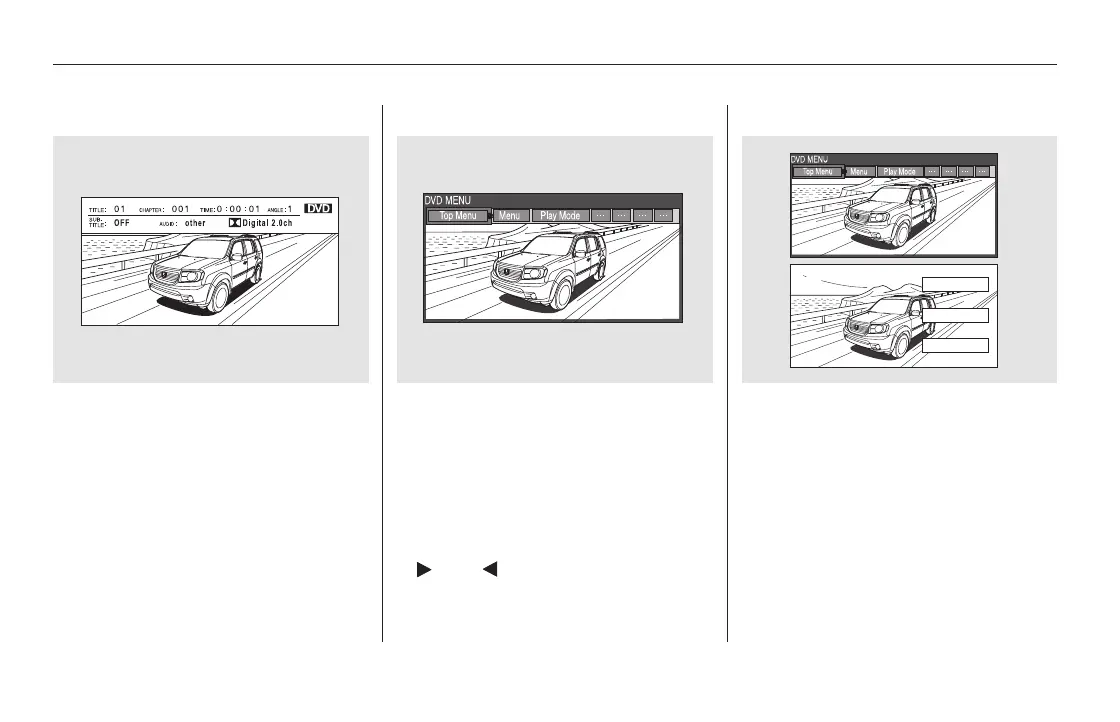
When you press the TITLE/
SCROLL button while a DVD is
playing, the current status of title,
chapter, elapsed time, angle, subtitle,
audio, and sound characteristics are
displayed. To return to the DVD
video screen, press the TITLE/
SCROLL button again.
When you press the MENU button
while a DVD is playing, the DVD
Menu appears. The menu options
are TOP MENU, MENU, PLAY
MODE, SEARCH, NumInput and
REPEAT.
To go to your selected menu, use the
or button to highlight the
icon and press the ENT button. To
return to the DVD video screen,
select RETURN.
When you select ‘‘TOP MENU,’’ the
screen changes to the DVD’s title
menu. This menu also appears when
you press the MENU button while a
DVD is not playing. To go back to
play, press the MENU or CANCEL
button.
TITLE/SCROLL Button MENU Button
Rear Entertainment System
408
11/08/01 09:26:40 31SZA630_415













 To Next Page