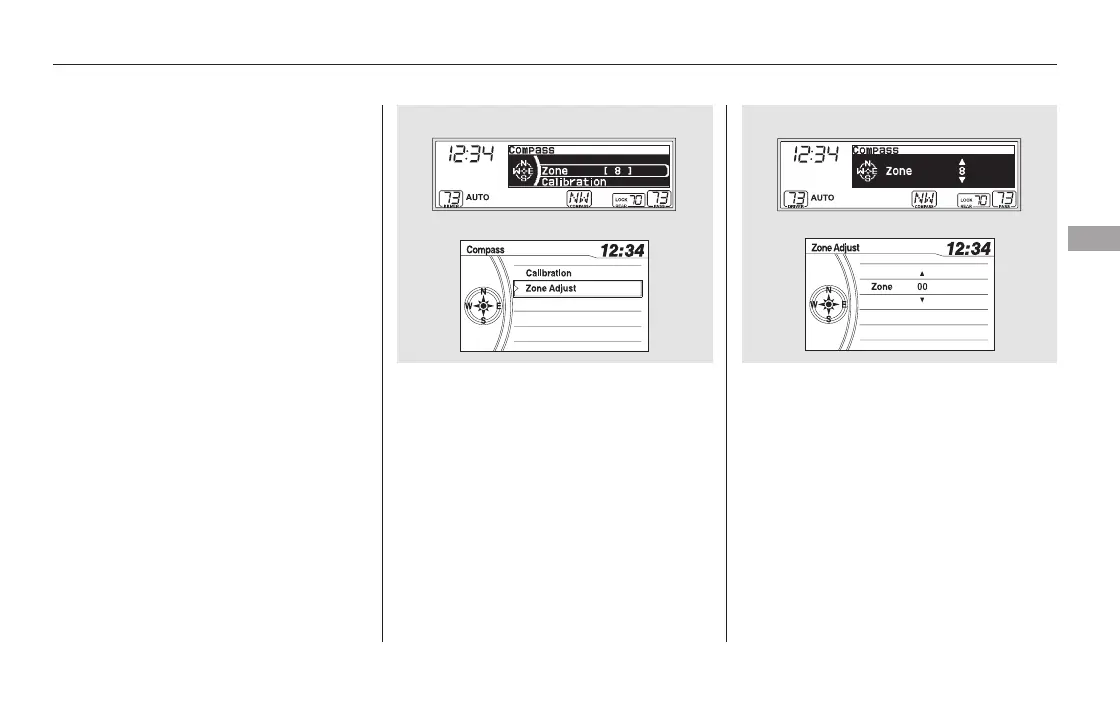
Once the correct zone is displayed,
press the selector knob. The
display then returns to normal.
Find the zone for your area on the
map (see page ). If the correct
zone is not shown, turn the
selector knob to cycle the zone
lists up or down.
In most areas, there is a variation
between magnetic north and true
north. Zone selection is required so
the compass can compensate for this
variation. To check and select the
zone, do this:
Turn the ignition switch to the ON
(II) position.
If necessary, press the RETURN
button to return to the previous
display. Pressing the SETUP
button will cancel the compass
setting mode.
Press and hold the SETUP button
for about 5 seconds. The display
shows you the compass setting
menu items.
Turn the selector knob to select
‘‘ZONE’’ or ‘‘Zone Adjust.’’ Press
the selector knob to enter your
selection. The display shows you
the currently selected zone
number.
4. 5.
2.
3.
1.
436
CONTINUED
Compass Zone Selection
Compass
Features
435
EX-L and Canadian EX models EX-L and Canadian EX models
U.S. EX and Canadian LX models U.S. EX and Canadian LX models
11/08/01 09:31:17 31SZA630_442













 To Next Page