Each time you press and release the
selector knob, this feature turns on
and off.
Youcanlistentotracksfromother
albumlists that have already been
recorded while recording. Press
the CD-L button and switch over
to CD Library Audio.
Recording settings cannot be
changed during recording.
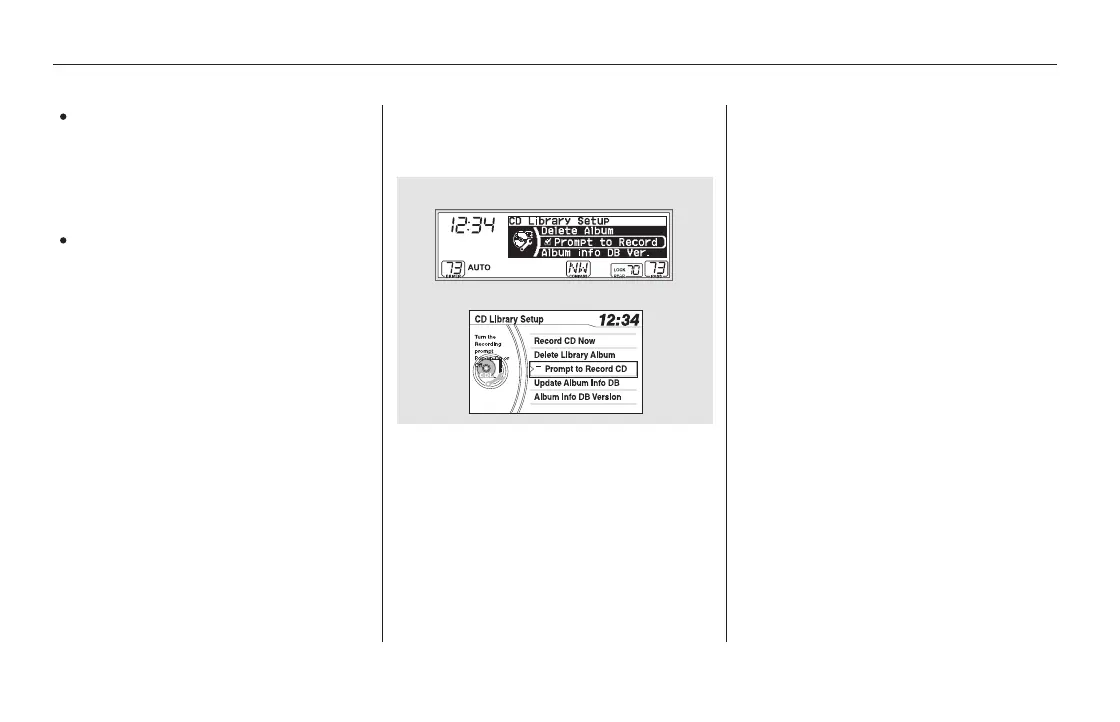
If you don’t wish to display the
recording CD prompt when you
insert a CD for the first time, press
and release the SETUP button and
turn the selector knob to ‘‘CD
Library Setup,’’ then press the
selector knob and select ‘‘Prompt to
Record’’ or ‘‘Prompt to Record CD.’’
Changing the Recording Settings
To Stop Displaying the Recording CD
Prompt
Playing CD Library Audio (EX, EX-L, and Canadian LX models without navigation system)
258
EX-L and Canadian EX models
U.S. EX and Canadian LX models
11/08/01 09:00:40 31SZA630_265













 To Next Page