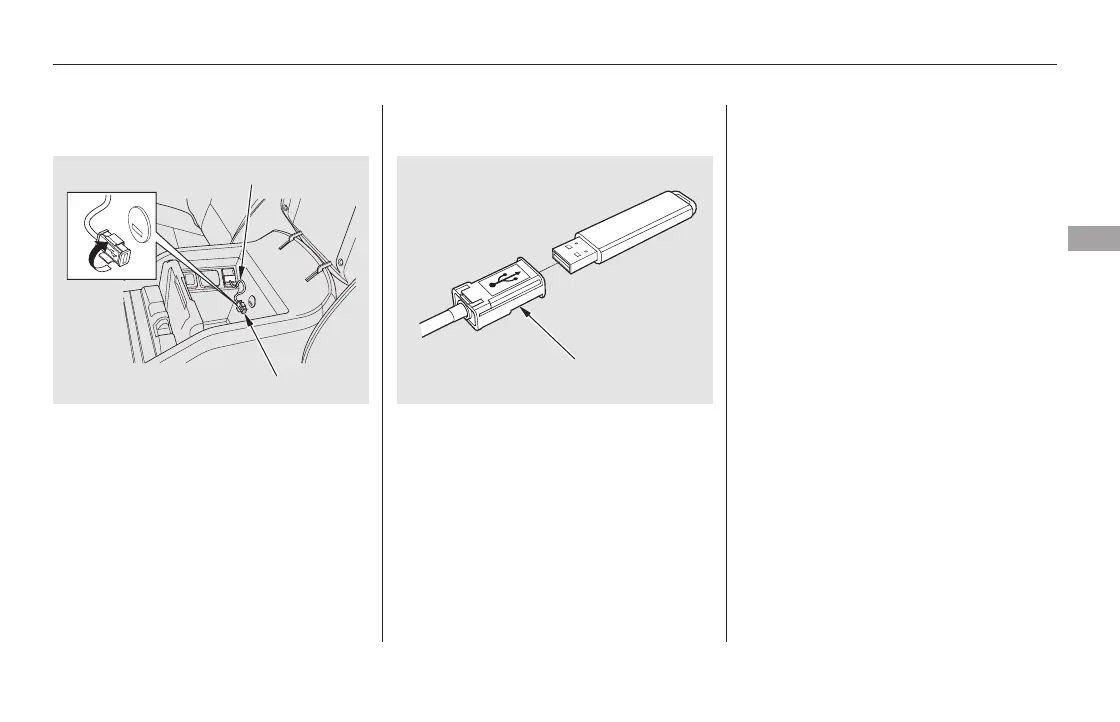
Connect the USB flash memory
device to the USB adapter cable
correctly and securely.
When the USB flash memory device
is connected, the USB indicator is
showninthedisplay.
If a file on your USB flash memory
device has an album art, it will be
showninthedisplay.
Unclip the USB connector by
pivoting it, and pull out the USB
adapter cable in the console
compartment.
1. 2.
CONTINUED
Connecting a USB Flash Memory
Device
Playing a USB Flash Memory Device (EX-L and Canadian EX models without navigation system)
Features
277
USB ADAPTER CABLE
USB ADAPTER CABLE
USB CONNECTOR
11/08/01 09:03:56 31SZA630_284













 To Next Page