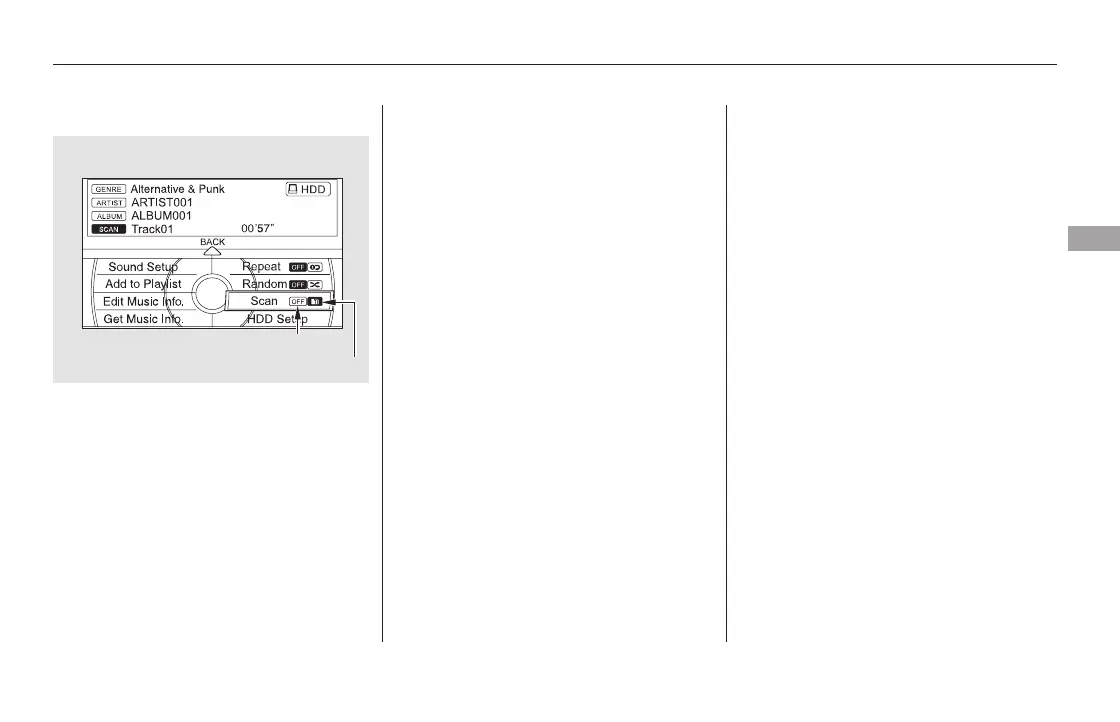
This function samples the tracks in
the current search mode in the order
that they were recorded.
To activate scan, push the interface
selector down during track playback.
Turn the interface dial to select Scan
on the HDD AUDIO MENU, and
press ENTER on the interface
selector.
Turn the interface dial to select the
scan icon. Press ENTER on the
interface selector. You will hear a 10-
second sampling of each track in the
current search mode.
TheHDDhastwotypesofthe
playlists: original playlist and user
playlist. On the original playlist, the
music CD is recorded automatically
when it is played. In addition, you
can create up to six user playlists on
the HDD. In each playlist, you can
store a desired music data from the
original playlists or music CDs.
You can also select the scan feature
with the SCAN button on the control
panel. Press and release the SCAN
button.
To turn this feature off, press the
SCAN button again, or turn the
interface dial to select the OFF icon,
andpressENTERontheinterface
selector. The system begins to play
the last track sampled.
CONTINUED
Scan Playback Making a User Playlist
Playing Hard Disc Drive (HDD) Audio (Models with navigation system)
Features
343
SCAN OFF ICON
SCAN ICON
11/08/01 09:15:19 31SZA630_350













 To Next Page