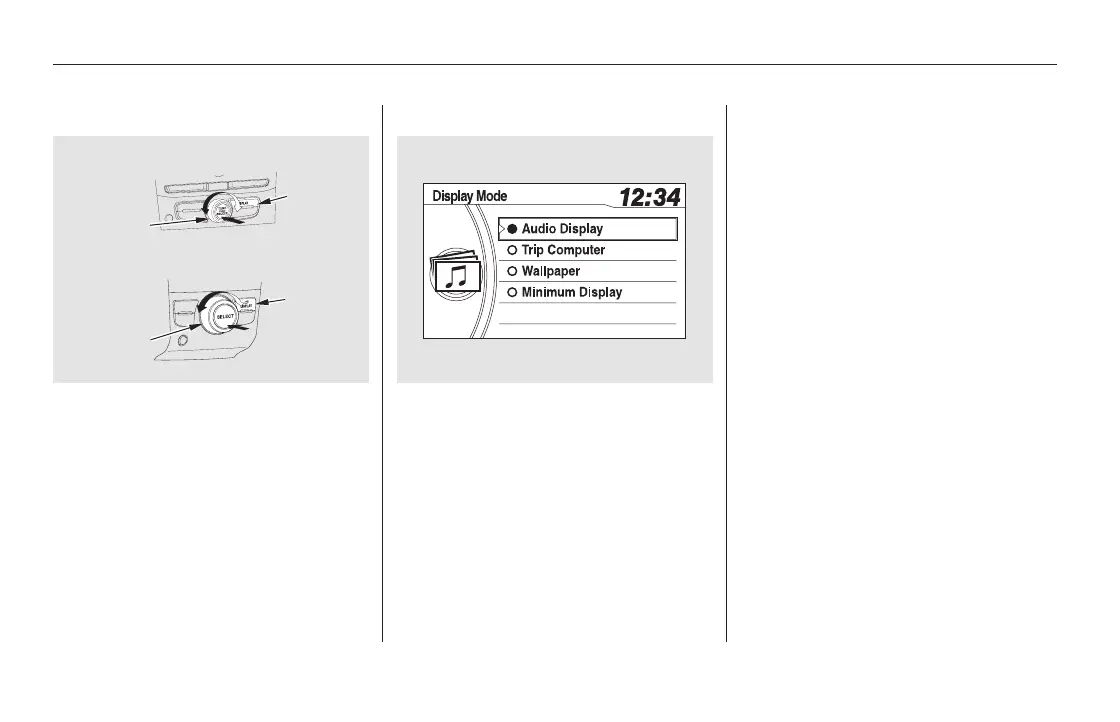
You can select one of the four types
of screen by pressing the Display
button, then turning and pressing
the selector knob.
When you select the trip computer,
the display shows the instant fuel
economy, average fuel economy,
distance (trip meter), average speed,
elapsed time, and range.
For information on instant fuel
economy, average fuel economy,
distance (trip meter) and range, see
page .
When you select ‘‘Audio Display,’’
the screen shows you the audio
information currently selected.
82
Display Button
Trip ComputerAudio Display
Display Setup
292
Without rear entertainment system
With rear entertainment system
SELECTOR
KNOB
DISPLAY
BUTTON
DISPLAY
BUTTON
SELECTOR
KNOB
11/08/01 09:06:29 31SZA630_299













 To Next Page