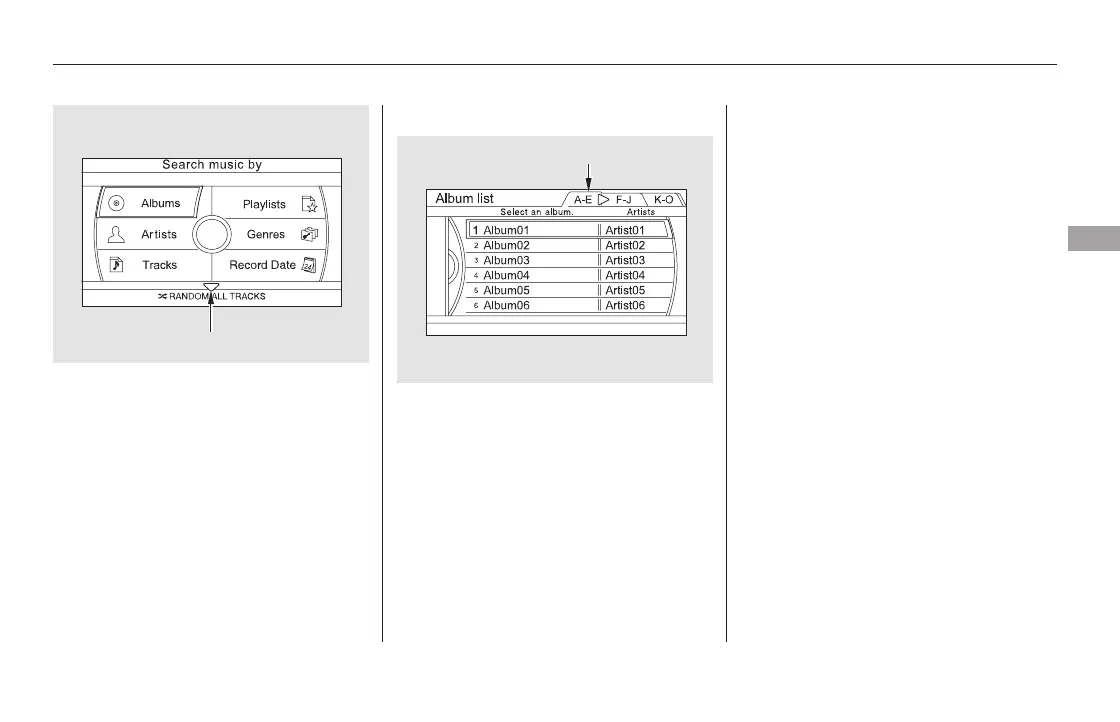
Shuffles the playback of all tracks
that have been recorded on HDD.
To shuffle all tracks, push the
interface selector up to display the
‘‘Search music by’’ screen, and then
push the interface selector down.
Shuffled playback begins.
Push the interface selector up to
display the ‘‘Search music by’’ screen,
and turn the interface dial to select
‘‘Albums.’’ Press ENTER on the
selector, and the album list will be
displayed in alphabetical order.
If you push the interface selector
right or left, you can change the
alphabet tag.
Turn the interface dial to select the
album you want to listen to, then
press ENTER on the selector.
The first track on the selected album
begins to play.
Searching Music by Album
RANDOM ALL TRACKS
Playing Hard Disc Drive (HDD) Audio (Models with navigation system)
Features
345
Push the selector down.
ALPHABET TAG
11/08/01 09:15:42 31SZA630_352













 To Next Page