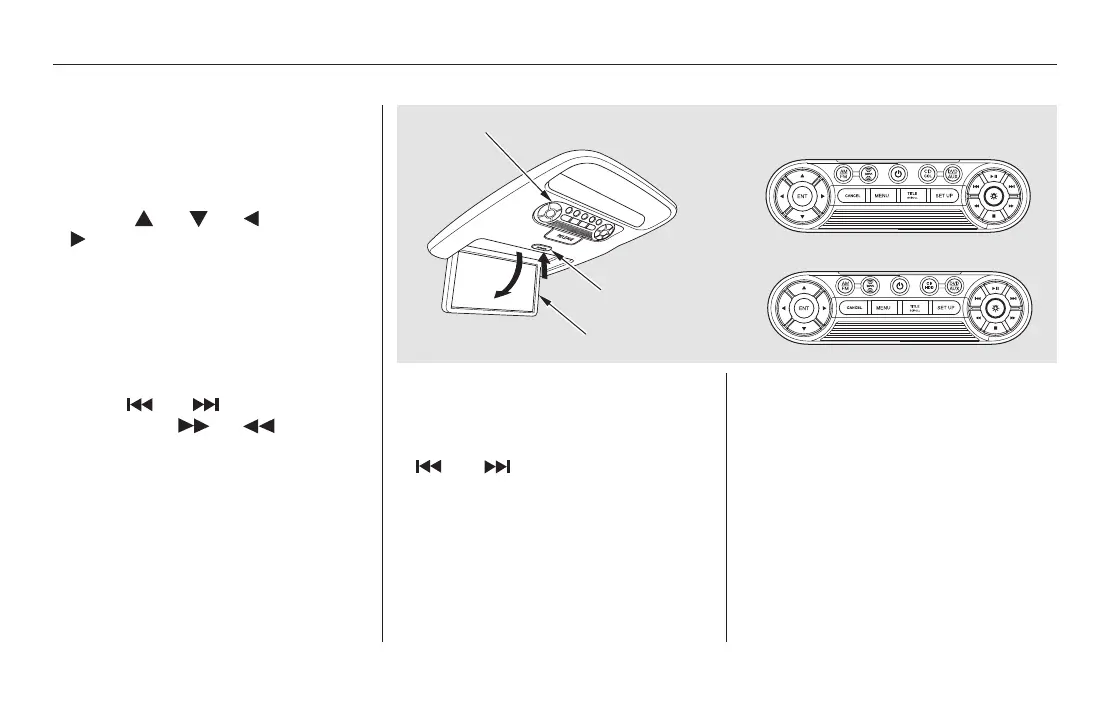
Press the FM/AM button to listen to
the radio.
Press the XM button to listen to the
XM Radio. You can press either side
(or)oftheTUNE/SKIP
bar to scroll up/down and select
channels within a category (in
CATEGORY mode), or to scroll up/
down and select from among all
available channels (in CH mode).
Press the MENU button to display
theaudiomenuontheoverhead
screen. You can enter the
highlighted function by pressing the
ENTER button. These functions
have the same features as those of
the front audio system.
Pressing and holding the TITLE/
SCROLL button for 5 seconds
enables you to switch between
search modes.
Usethe,,,or
button to highlight SEEK,
TUNE, AUTO SELECT, SCAN, or
one of the preset radio stations on
the overhead screen. You can enter
the highlighted function by pressing
the ENT button. These functions
have the same features as those of
the front audio system. You can also
use the or buttons to seek
up/down and or to tune
up/down.
To Play the Radio from the Rear
Control Panel
To Play the XM Radio from the
Rear Control Panel
Rear Entertainment System
406
OVERHEAD SCREEN
REAR CONTROL PANEL
OPEN BUTTON
REAR CONTROL PANEL
On vehicles without navigation system
On vehicles with navigation system
11/08/01 09:26:10 31SZA630_413













 To Next Page