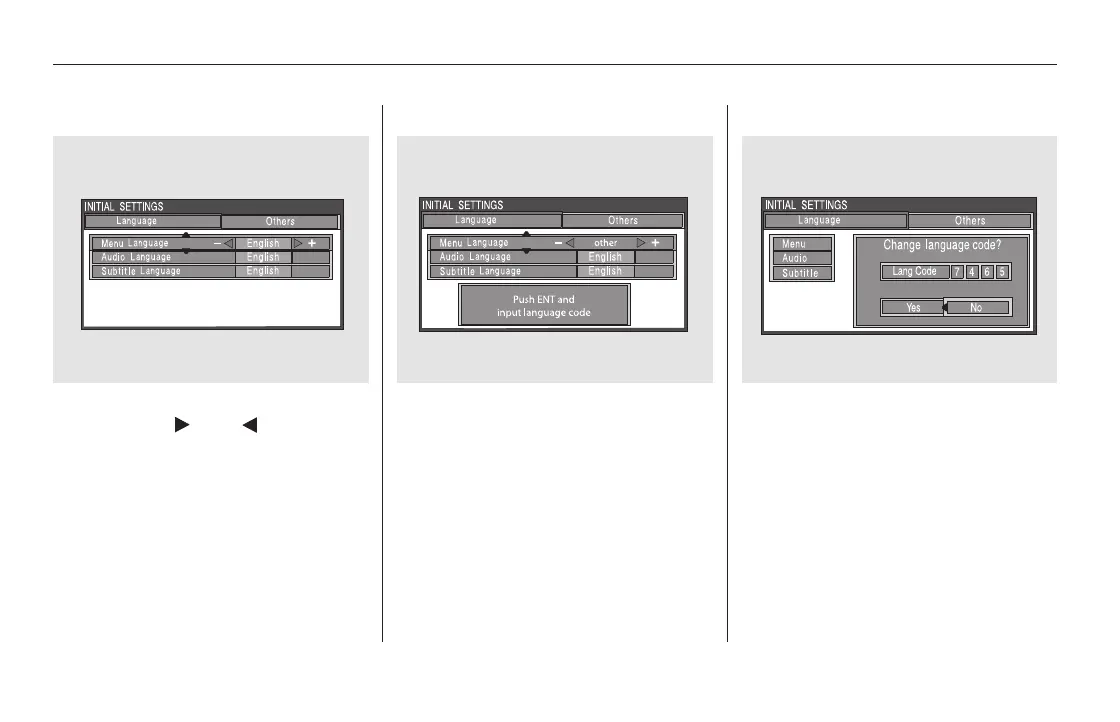
If you want another language than
those listed, you need to enter the
code number of the desired language.
Select ‘‘other,’’ and press the ENT
button. The display changes as
showninthenextcolumn.
If you select ‘‘No,’’ and press the
ENT button, the display returns to
the initial screen of the ‘‘Language’’
menu.
Select the desired language by
pressing the or button.
The selectable languages are,
English, French, Spanish, Arabic,
German, Italian, Dutch, Chinese,
Korean, Thai, Japanese or others.
Rear Entertainment System
418
11/08/01 09:28:21 31SZA630_425













 To Next Page