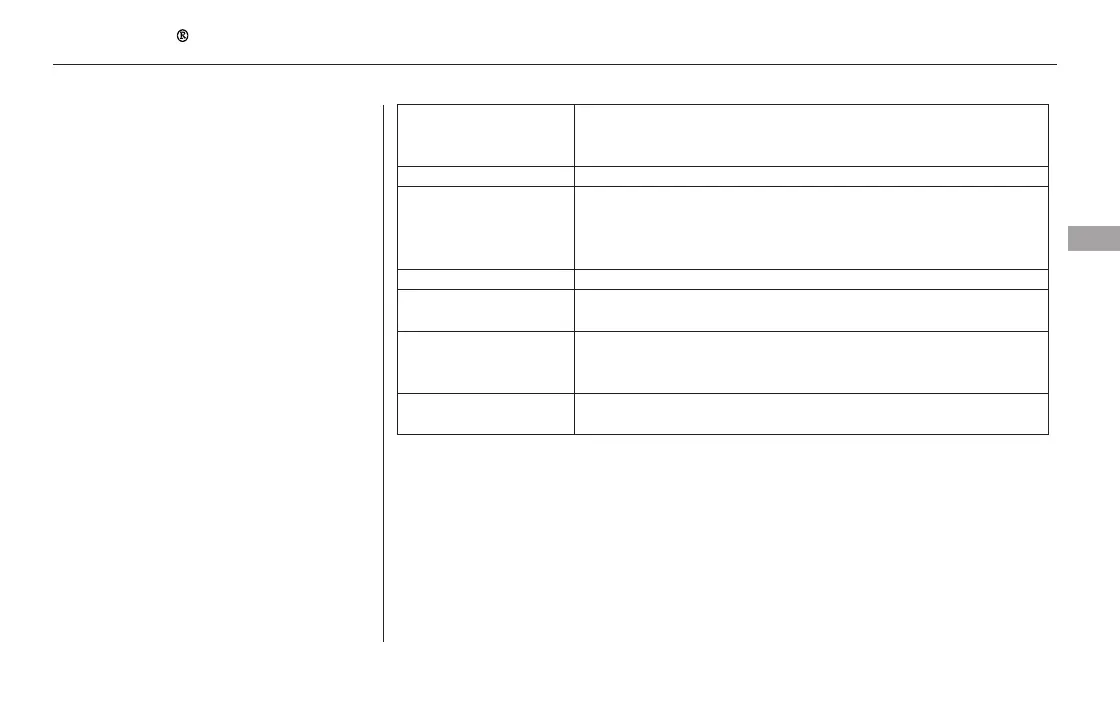
If you see an error message on the
audio display while playing an iPod,
find the solution in the chart to the
right. If you cannot clear the error
message, take your vehicle to your
dealer.
Error Message Solution
There is a problem with the USB adapter unit.
Appears when the overcurrent protection feature of the system stops
supplying power to USB because an incompatible device is connected.
Disconnect the device. Then, turn the audio system off, and turn it on
again. Do not reconnect the device that caused the error.
Appears when the iPod is empty. Store some files in the iPod.
Appears when an unsupported device is connected. Disconnect the
device.
Appears when an unsupported iPod is connected. See page 266 for
specification information for iPods. If it appears when a supported
iPod is connected, update the iPod software to the newer version.
Appears when the system does not acknowledge the iPod. Reconnect
the iPod.
iPod Error Messages (EX-L and Canadian EX models without navigation system)
Features
273
USB ERROR
BAD USB DEVICE
PLEASE CHECK
OWNERS
MANUAL
NO SONG
UNSUPPORTED
UNSUPPORTED VER.
CONNECT RETRY
11/08/01 09:03:14 31SZA630_280













 To Next Page