−
−
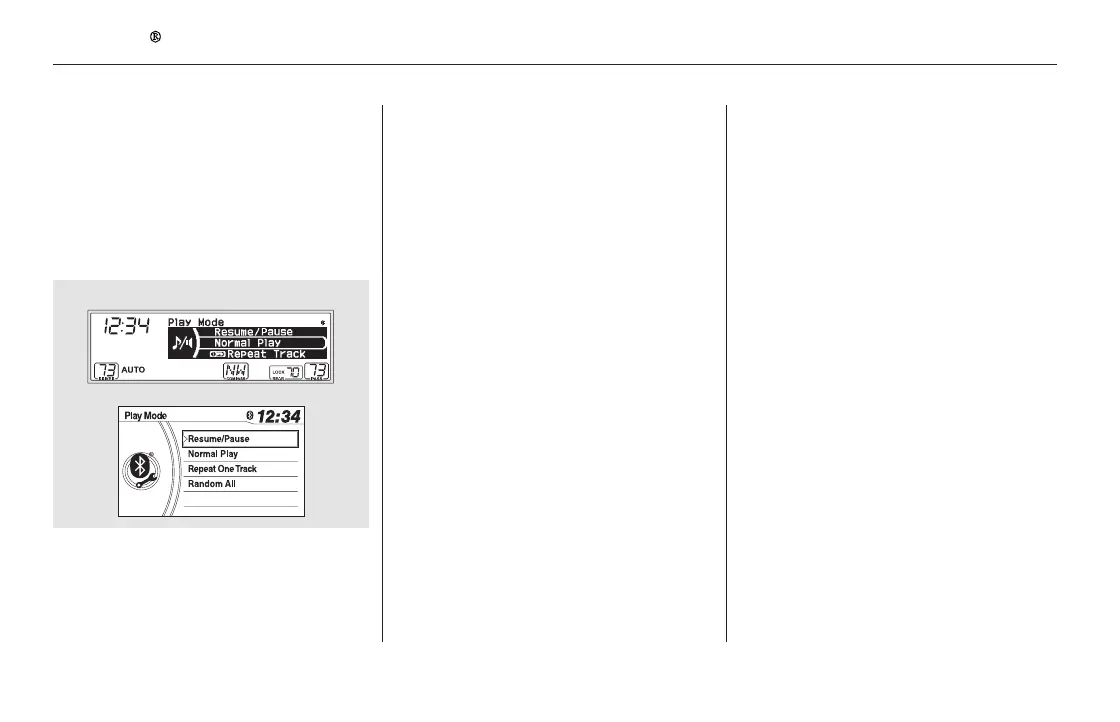
The resume/pause mode can stop
playing a file temporarily. Press the
SETUP button to display the setup
menu, then turn the selector knob to
select ‘‘Play Mode.’’ Press the
selector knob to enter the play mode
menu.
Turn the selector to select Resume/
Pause mode, then press the selector
knob to set your selection. Repeat to
resume play.
This feature
continuously plays a file. Select
normal play to turn it off.
This feature plays
all available files in random order.
Select the normal play to turn off this
feature.
The repeat or random play
function may not be available on
some phone devices.
You can select repeat and random
mode by using the SETUP button
and the selector knob. Push the
SETUP button to display the menu
items, then turn the selector knob to
select ‘‘Play Mode.’’ Press the
selector knob to set the selection.
Turn the selector knob to select
‘‘Repeat One Track’’ or ‘‘Random All,’’
then press the selector knob to set
your selection.
Thepausefunctionmaynot
be available on some phone devices.
To pause or resume a file
To Select Repeat or Random Mode:
Repeat One Track
Random All
Bluetooth
Audio System (EX, EX-L, and Canadian LX models without navigation system)
286
NOTE:
NOTE:
11/08/01 09:05:25 31SZA630_293













 To Next Page