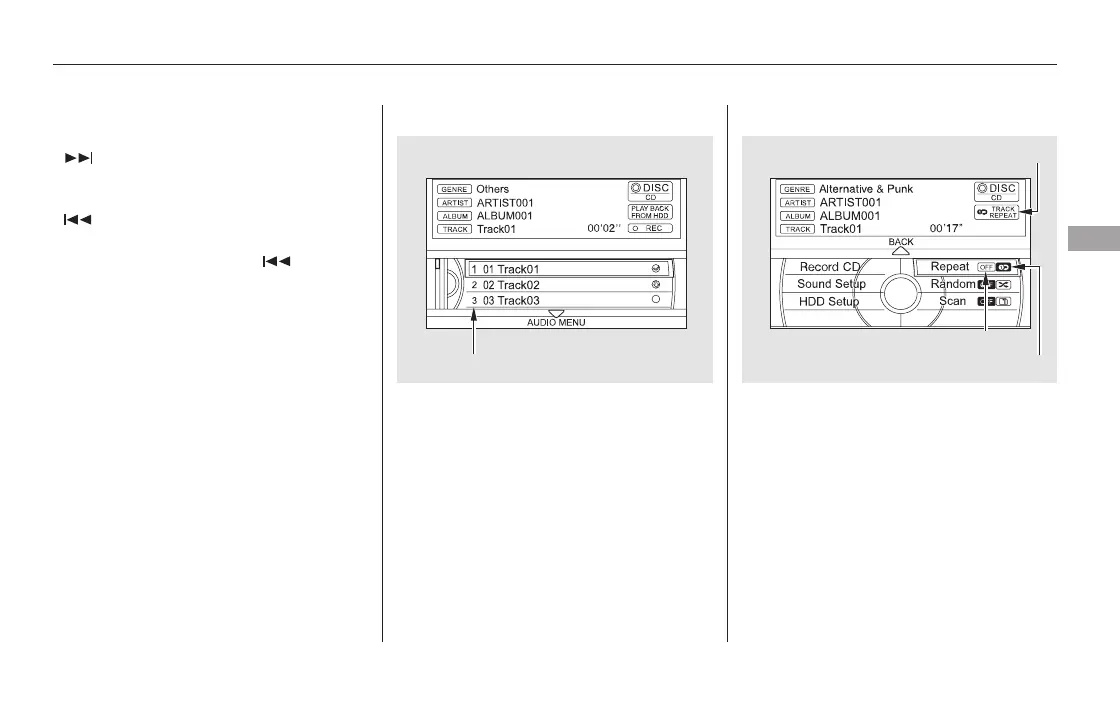
To replay the current track
continuously, push the interface
selector down while playing a disc.
Turn the interface dial to select
Repeat on the AUDIO MENU, and
press ENTER on the interface
selector. Turn the interface dial to
select Repeat icon, and press
ENTER on the interface selector.
You can also choose a track directly
from a track list. If there are no track
names, you will see ‘‘No Title’’
displayed. Turn the interface dial to
select the desired track, then press
ENTER on the interface selector.
When you insert a CD for the first
time, the system automatically starts
recording to the hard disc. For
information on recording from music
CDs, see page .
Each time you press and release the
side of the skip bar, the player
skips forward to the beginning of the
next track. Press and release the
side of the skip bar to skip
backward to the beginning of the
current track. Press the side
againtoskiptotheprevioustrack.
To move rapidly within a track, press
and hold either side of the skip bar.
When you insert a CD for the first
time, a Gracenote notification
appears. For more information, see
page .
337
360
CONTINUED
Track RepeatTo Choose a TrackTo Change Tracks
Playing a Disc (Models with navigation system)
Features
323
TRACK REPEAT INDICATOR
TRACK REPEAT ICON
TRACK LIST
REPEAT OFF ICON
11/08/01 09:11:33 31SZA630_330













 To Next Page