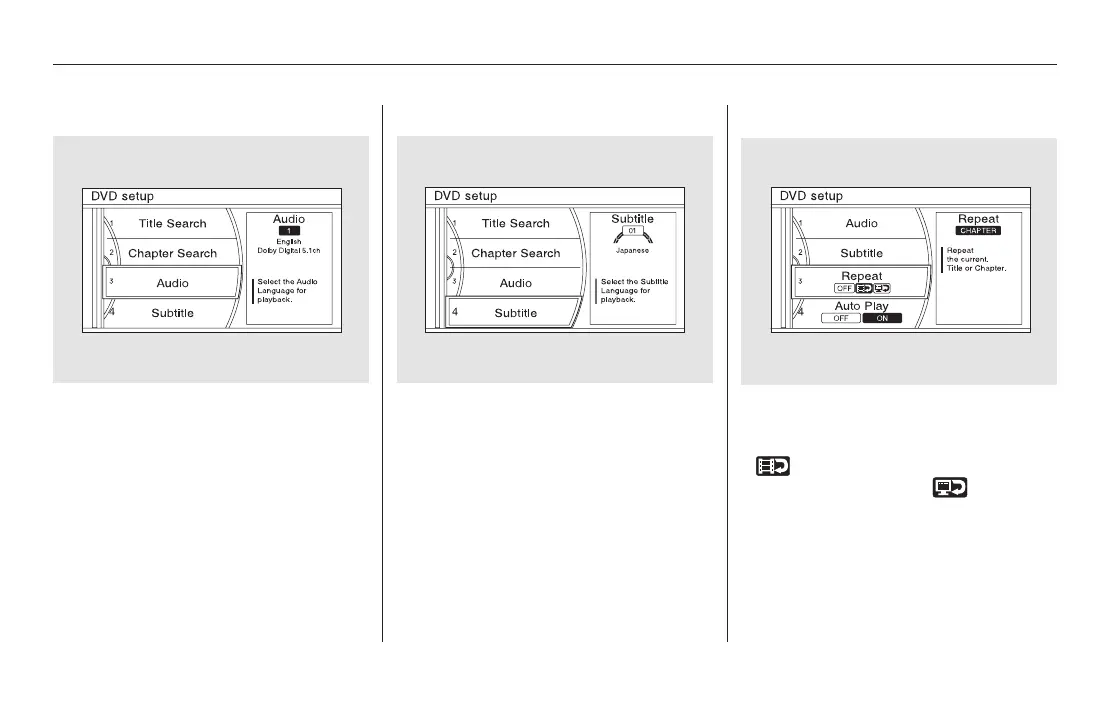
Audio
Turn the interface dial to ‘‘Audio,’’
then press ENTER on the interface
selector. Turn the dial to select the
language you want for DVD audio,
then press ENTER on the interface
selector. The languages that appear
on the screen are limited to the
language choices available on the
DVD.
Subtitle
Turn the interface dial to ‘‘Subtitle,’’
then press ENTER on the interface
selector. Turn the dial to select the
language you want for subtitles, then
press ENTER on the interface
selector. The languages that appear
on the screen are limited to the
language choices available on the
DVD.
Turn the interface dial to ‘‘Repeat,’’
then press ENTER on the interface
selector. Select the icon in the center
( ) to repeat the current chapter,
theiconontheright( )to
repeat the current title, or select
OFF to turn off repeat. If your DVD
does not support titles or chapters,
you cannot use this feature.
Repeat
Rear Entertainment System
404
11/08/01 09:25:47 31SZA630_411













 To Next Page